An HR audit can expose outdated employee records, missing managers, and inconsistent reporting lines. A static chart needs to be checked against the records it represents. This guide compares tools for building an HR audit org chart, with attention to data validation, access controls, historical views, and scenario planning.
Comparison Criteria: What Actually Matters for an HR Audit?
In a high-stakes audit, an organizational chart is rarely just a visual aid; it is a legal and operational map of your company’s integrity. Most tools treat the org chart as a static diagram or a “snapshot” of the organization.
To build a truly audit-ready workforce, the software must move beyond simple lines and boxes. The criteria below help you test how each tool handles HR data, collaboration, and access controls. Here is what modern HR teams should prioritize:
1. Dynamic Data Integration & Custom Fields
A robust audit tool must allow you to overlay complex data points, such as compliance status, contract types, or tax jurisdictions, directly onto the visual structure. The goal is to see the “why” behind the “who.” We prioritize platforms that allow for custom metadata so you can flag anomalies (like reporting gaps, misclassified roles, or vacant positions) in real-time.
2. Enterprise-Grade Governance & Access Control
HR data requires the highest level of sensitivity. An audit tool is only as good as its security framework. Evaluate platforms for granular permissions, allowing HR leads to share specific departmental views with relevant stakeholders without exposing sensitive compensation data or private employee records to the entire organization.
3. Reporting Accuracy & Point-in-Time Snapshots
Auditors require evidence of historical structures. Check whether historical records are retained and whether exported evidence meets your auditor’s requirements. Furthermore, the export capability must be enterprise-ready—maintaining clarity and data integrity whether you’re exporting a single team or a global workforce of thousands.
4. Scalability & Architectural Flexibility
For growing organizations, a tool that buckles under the weight of 500+ nodes is a liability. Test tools with your expected chart size and matrix reporting lines or decentralized structures without sacrificing performance or visual clarity.
5. Verified Audit Trails & Version History
When a reporting line shifts, the “who, what, and when” must be transparent. For compliance, having a documented version history is non-negotiable. This ensures that every structural change is tracked, providing a clear breadcrumb trail for internal reviews or external regulatory bodies.
6. Centralized Evidence Readiness
The most efficient audit tools act as a centralized hub for documentation. Ask whether the software allows HR teams to link or embed compliance documents (such as certifications, right-to-work evidence, or performance reviews) directly to employee profiles within the chart, effectively turning the visual map into an audit-ready database.
Comparison of the Best Org Chart Software for HR Audits
Use these checks to compare the tools below; this guide does not assign test scores or certify any product as compliant.
| Review area | What to verify with each shortlisted vendor |
|---|---|
| Historical evidence | Whether retained records and exports meet your audit’s evidence requirements |
| Sensitive data | Which users can view each field, including in exports and shared views |
| Imports and integrations | Supported sources, validation rules, refresh schedules, and error handling |
| Ease of use | Whether HR can update and review a representative chart during a trial |
| Total cost | Required modules, implementation, support, and recurring charges |
| Decision | Document the results of your own tests; no numerical ranking is assigned here |
1. Creately
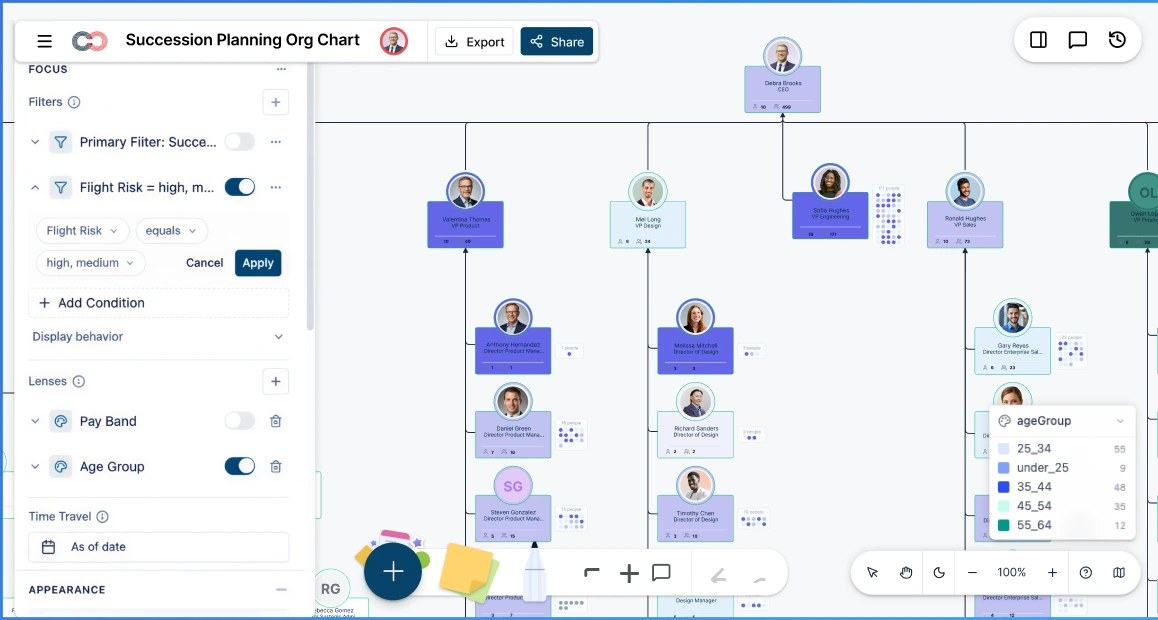
Creately Atlas connects people, positions, and reporting relationships in a shared org chart for HR analysis and planning. Effective-dated relationships support historical views, while a six-tier sensitivity model controls access to employee fields.
Key Features
- Time Travel & Historical Auditing: Set an “as-of” date to view the structure represented by recorded relationship intervals and employee join/departure dates. This supports historical review but does not replace an immutable audit log or independent compliance evidence.
- Multi-Source Data Integration: Import a CSV export from your HRIS and review AI-suggested column mappings before applying it. Import validation checks for missing IDs, unknown managers, and reporting cycles; the import does not establish a live HRIS connection.
- Custom HR & Compliance Field Packs: Use 201 built-in fields across 15 field packs, including Compensation (salary, compa-ratio), Role (FLSA status, EEO category), Workforce (visa status, retirement eligibility), and Demographics for authorized aggregate reporting.
- Scenario-Based Planning: Model “what-if” reorgs or merit cycles in a sandbox environment. Changes are tracked as scenarios (recording old vs. new values), allowing for clear before-and-after comparisons without affecting the live chart.
- 6-Tier Sensitivity Governance: Compensation requires HR Confidential access, while succession risk requires HR Restricted access. For unauthorized users, these fields are completely invisible rather than just “locked”.
- Enterprise-Ready Visuals: Use auto-generated department views, collapsed branches, and focus mode to navigate larger charts. Field sensitivity and sharing permissions still apply when HR Business Partners share these views.
Pros
- Historical Review: Effective-dated records support as-of views, while scenario deltas record old and new values for proposed changes
- The Person/Position Split: Creately Atlas models people and positions as separate records. This allows you to audit vacancies and maintain reporting lines even when a key stakeholder leaves.
- Natural Language Insights: An AI assistant can proactively surface structural issues, such as “wide spans of control” or “missing succession plans,” without manual digging.
Cons
- Initial Data Mapping: Review AI-suggested mappings and resolve validation errors before importing, especially when HRIS exports use inconsistent IDs or reporting references.
Pricing*
- Free Plan - Workspace plan with usage limits
- Starter - Confirm current Workspace pricing
- Team - Confirm current Workspace pricing and collaboration limits
- Business - Confirm Atlas feature availability and pricing
- Enterprise - Request a quote for your data, access, and audit requirements
*Confirm current pricing and included features with the vendor.
2. Organimi
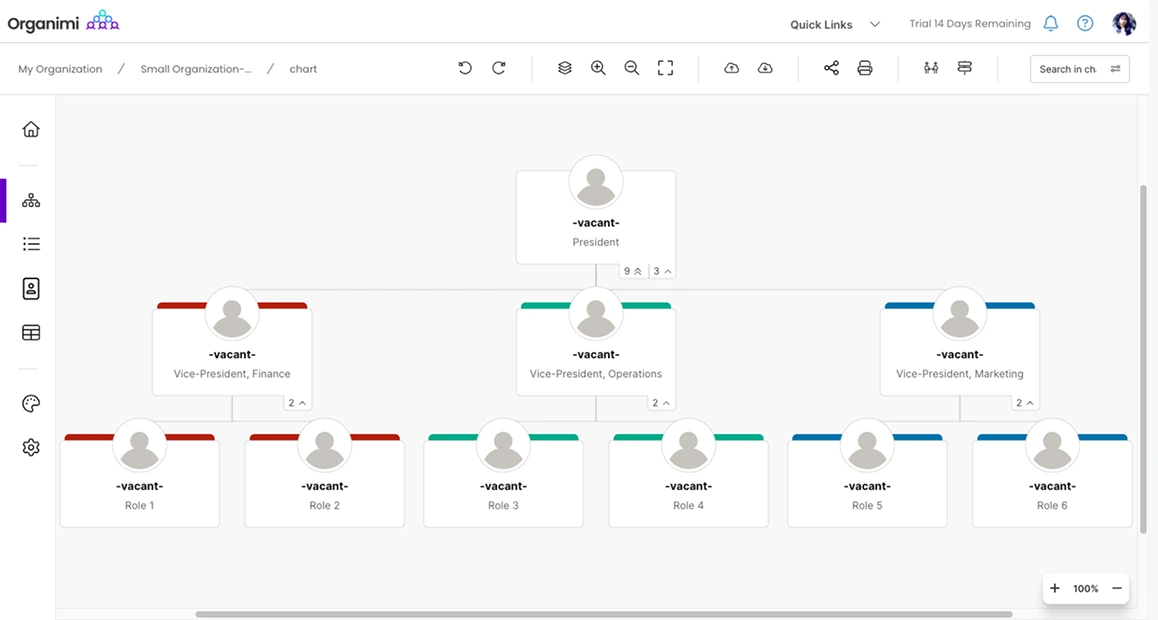
Organimi supports traditional, matrix, and governance charts with custom fields and data imports.
Key Features
- Custom fields for organization-specific information
- Chart, directory, and photoboard views
- PDF, PPTX, and PNG exports
Pros
- Useful when charts and employee directories are required together
Cons
- Confirm history retention, sensitive-field permissions, and the integrations included in your plan
Pricing
- Confirm current pricing, billing terms, and included features with the vendor before purchasing.
3. Workleap (Pingboard)
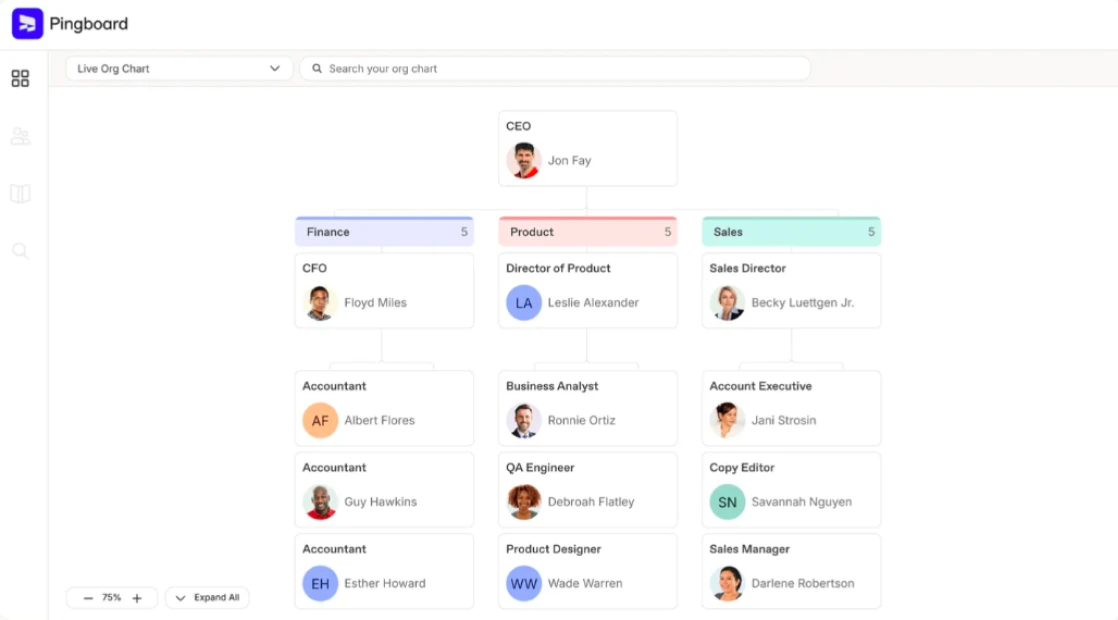
Workleap (Pingboard) provides employee directory and org-chart workflows.
Key Features
- Org charts for reporting relationships
- Employee profiles and directory navigation
Pros
- Useful for looking up colleagues and understanding team structure
Cons
- Verify retained history, evidence exports, and sensitive-field permissions during your audit evaluation
Pricing
- Confirm current pricing, billing terms, and included features with the vendor before purchasing.
4. Sift
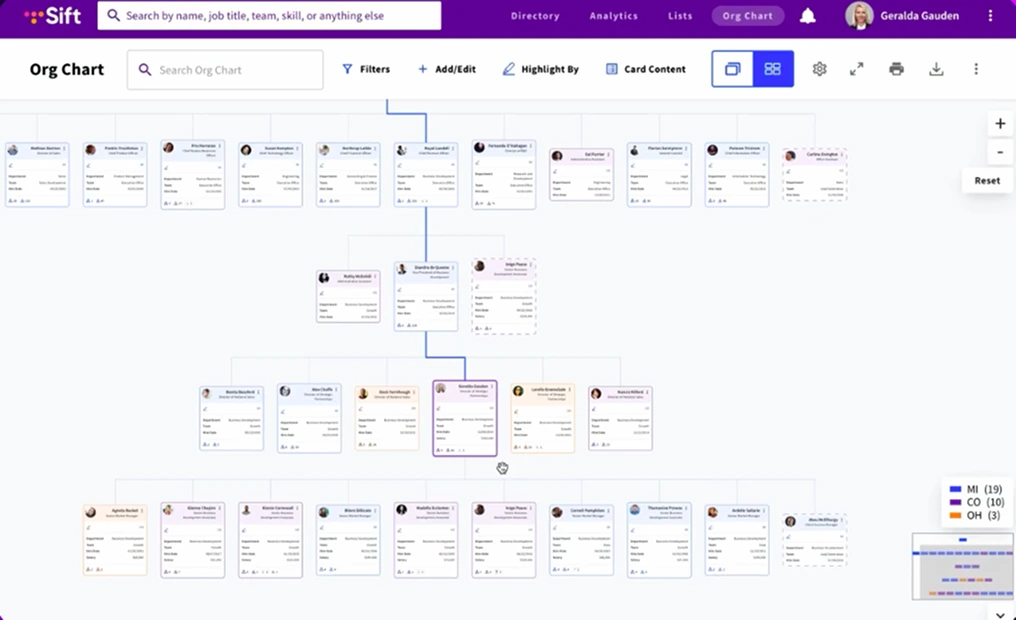
Sift combines org charts, employee profiles, and people search.
Key Features
- Search by skills and work experience
- Visualize formal and informal reporting relationships
- Connect employee data sources
Pros
- Useful for finding expertise across teams
Cons
- Confirm history retention, scenario requirements, and access to sensitive fields with the vendor
Pricing
- Confirm current pricing, billing terms, and included features with the vendor before purchasing.
5. Lucidchart
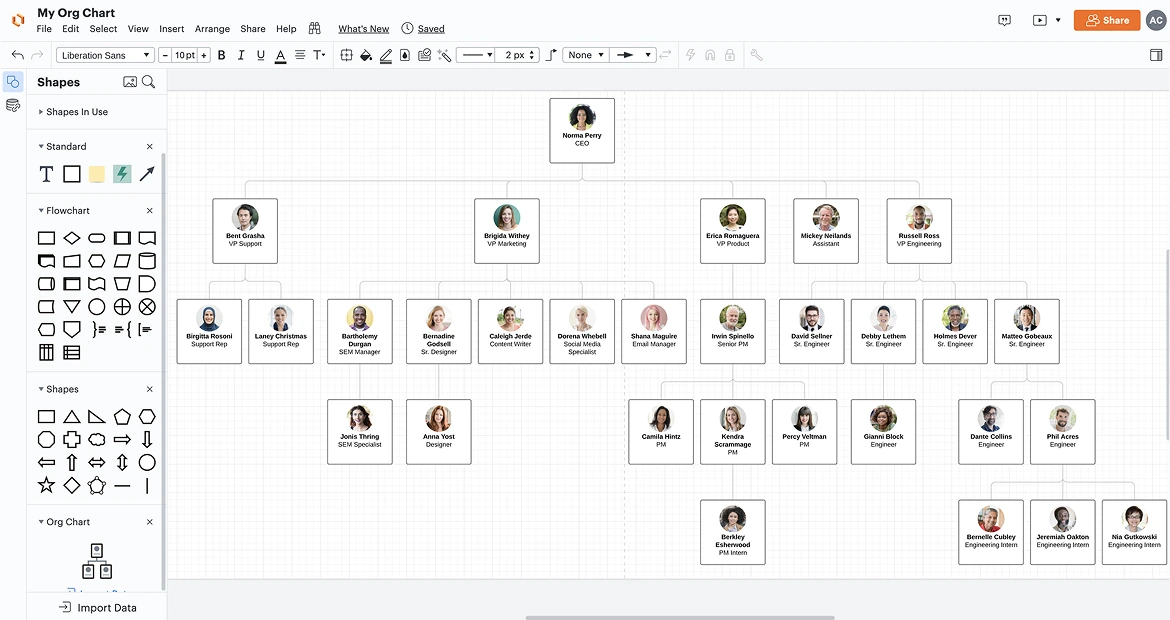
Lucidchart supports org and team planning through data imports, data linking, and group views.
Key Features
- Data imports and linking for org visualizations
- Real-time collaboration on diagrams
- Conditional formatting for visual analysis
Pros
- Useful when org charts are part of a wider diagramming workflow
Cons
- Confirm field-level access, retained history, and evidence-export requirements before using sensitive audit data
Pricing
- Confirm current pricing, billing terms, and included features with the vendor before purchasing.
6. Miro
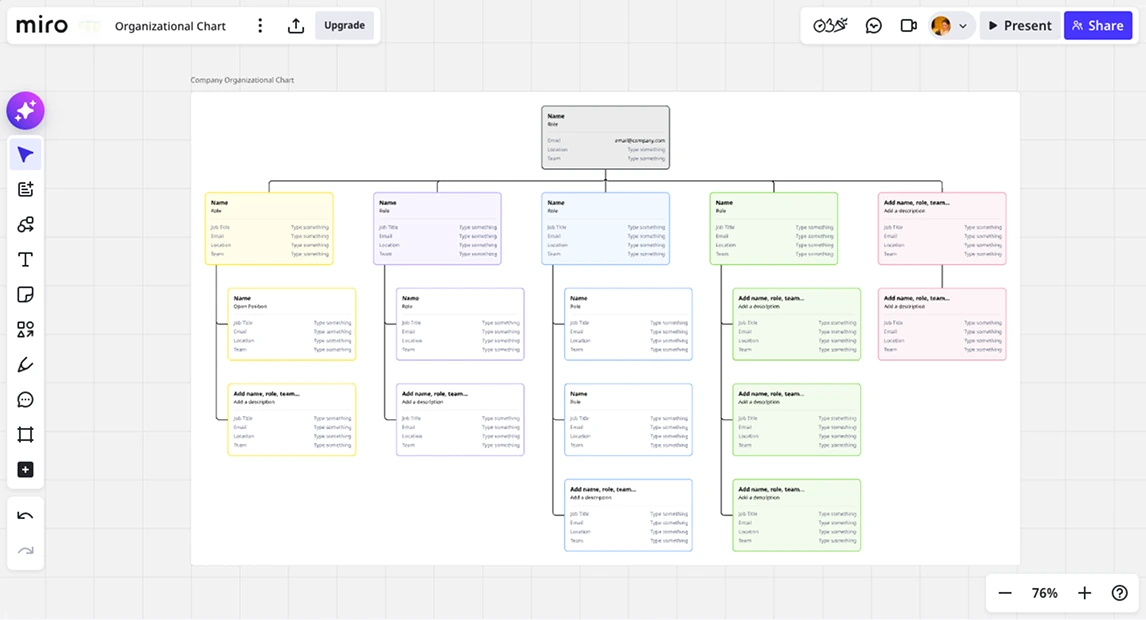
Miro supports collaborative org charts with CSV import and automatic layout.
Key Features
- CSV import into an org-chart widget
- Automatic layout and collaborative editing
- AI assistance for organizational planning
Pros
- Useful for collaborative organization-planning workshops
Cons
- Verify sensitive-data controls, retained history, and audit-evidence requirements separately
Pricing
- Confirm current pricing, billing terms, and included features with the vendor before purchasing.
7. ChartHop
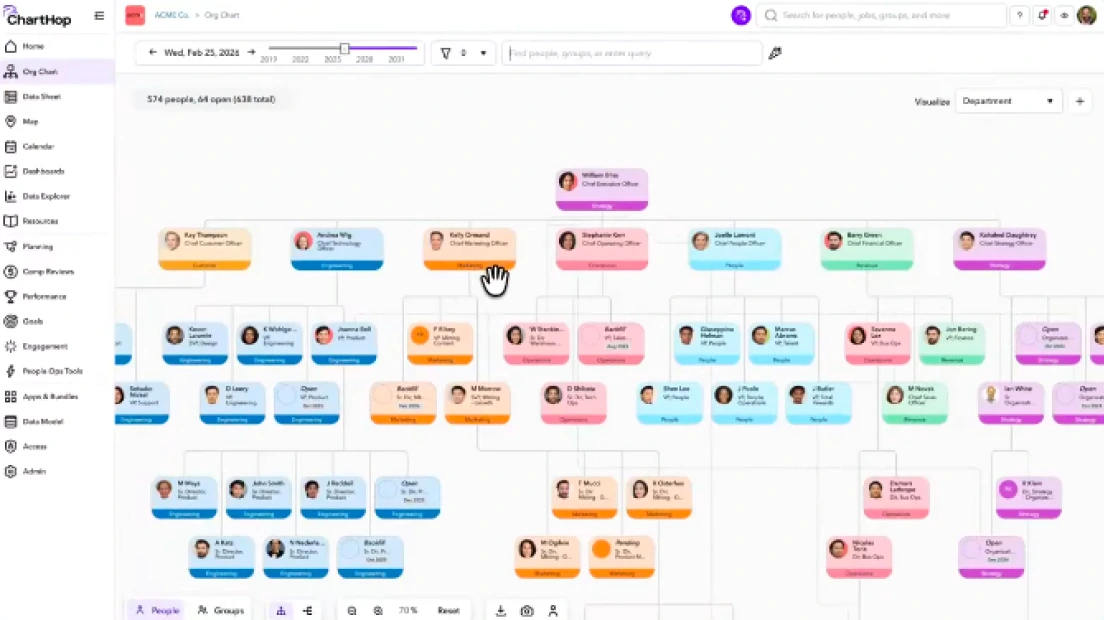
ChartHop combines org visualization, people analytics, and AI insights, with additional planning modules.
Key Features
- Org chart and people analytics
- AI insights across workforce data
- Headcount planning available through the relevant module
Pros
- Useful when people analytics and planning are part of the evaluation
Cons
- Confirm module costs, data connections, implementation support, and history requirements for your use case
Pricing
- Confirm current pricing, billing terms, and included features with the vendor before purchasing.
Choosing the Best Tool for HR Audit Org Charts
Conducting an HR audit is a high-stakes task that requires more than just a visual representation of your team. You need a platform that balances data integrity, historical transparency, and cross-departmental collaboration.
For Org Structure Reviews: Creately
Creately Atlas supports teams reviewing org structure through dated records, field permissions, and scenarios. Its people-and-position model keeps vacancies visible while HR retains the source records and evidence needed for an audit.
- What to evaluate: As-of views, six-tier field sensitivity, and scenario comparisons support structured HR reviews, with plan availability and audit requirements to confirm during evaluation.
- Ideal for: HR Leaders, Compliance Officers, and Operations teams who need precision and speed during audit season.
For People Analytics: ChartHop
Consider ChartHop when people analytics and headcount planning are part of the evaluation. Confirm the modules, data connections, and implementation support needed for your audit workflow.
For Employee Directory Workflows: Workleap
Consider Workleap Pingboard for employee directory and org-chart workflows. Confirm integration refresh behavior, retained history, and access controls against your audit requirements.
Don’t let your next HR audit get derailed by scattered spreadsheets and manual drawings. Whether you need to defend reporting lines to a regulator or plan your next major reorganization, you need a workspace that scales with your data.