May 1, 2026


Personalized Visuals, Improved Smart Connectors, and More
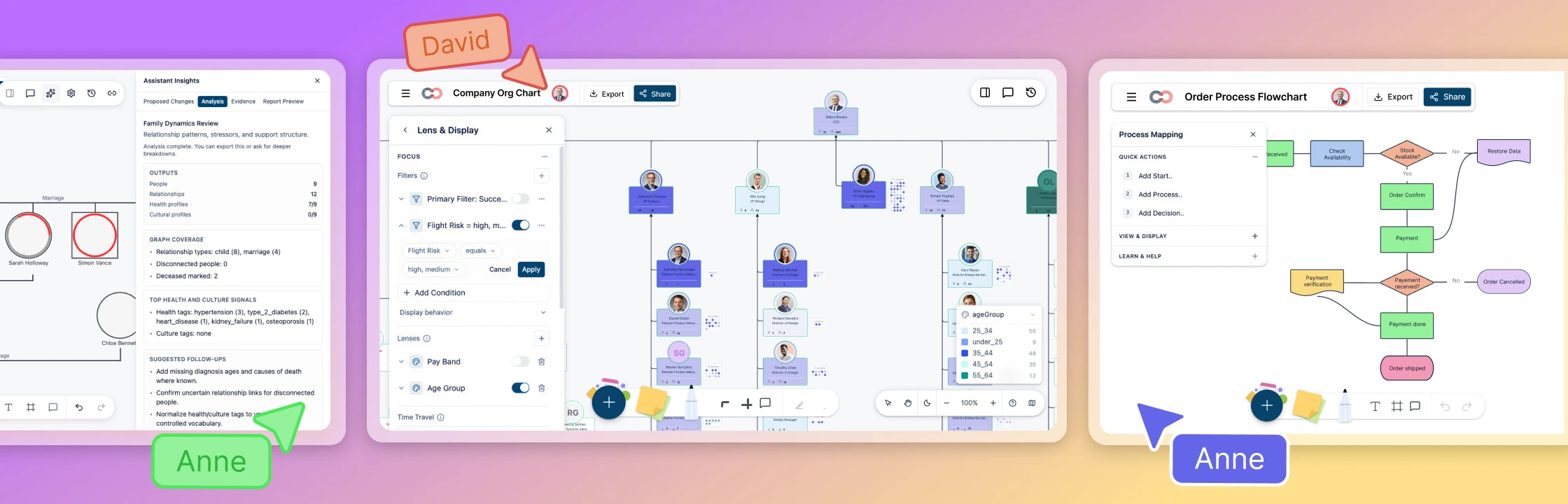
Personalized Visuals and Seamless Media Integration
We’ve transformed the way you personalize your workspace by introducing platform-wide image uploads. You can now move beyond generic placeholders by adding employee photos to Org Charts or personal portraits to Genograms, making your diagrams instantly recognizable and more professional. Whether you are dragging and dropping a single headshot or bulk-uploading images via CSV, our new cropping and image-property tools give you total control over the look and feel of your canvas. To ensure a smooth experience, we’ve also upgraded our backend storage and export engine, so your high-resolution images load instantly and stay perfectly crisp when you share your work as a PDF or image file.
Precision Alignment and Polished Visuals for Professional Flowcharts
We’ve refined our flowchart logic to ensure your diagrams always look sharp and perfectly organized. Our improved connector engine now intelligently detects when shapes are aligned, automatically snapping connection lines into perfectly straight horizontal or vertical paths—eliminating those tiny, distracting “bends” in your process flows. This commitment to precision extends to every item you add to the canvas; whether you are pasting a shape, dragging one from the library, or using our AI assistant, every element now instantly snaps to a consistent 12px grid. These updates work together to remove the need for manual pixel-pushing, ensuring your workspace remains tidy and professional from the very first click.
Smooth Interaction for Large-Scale Org Charts
We’ve significantly boosted the responsiveness of our Org Charts, especially for those of you managing large-scale teams. By optimizing how the app handles animations and background calculations, expanding and collapsing branches now feels instantaneous. You’ll enjoy a much smoother, lag-free experience as you move through your organization’s data, regardless of the diagram’s size.
Clear Connectivity in Complex Hierarchies in Org Charts
Navigating deep organizational structures is now more intuitive than ever. We’ve refined the way connection lines behave, ensuring they always take a clean, predictable path. Even when you are expanding multiple nested levels, connectors will automatically route around your cards, eliminating overlaps and keeping your complex diagrams professional and clutter-free.
Enhanced Export Quality: Vector PDFs and Sharper Images
We’ve overhauled our export engine to ensure your work looks professional, no matter how you share it. Our new Vector PDF rendering ensures that your diagrams, text, and connectors stay perfectly sharp at any zoom level—gone are the days of blurry edges when printing or viewing on large screens. For image exports, we’ve upgraded our resolution defaults to provide significantly higher clarity for complex diagrams like org charts and genograms. We’ve also simplified the export menu by removing confusing technical settings; the app now automatically calculates the optimal sharpness for your diagram’s size, delivering high-definition results every time you hit export.
Instant, Intuitive Search Across Your Workspace
Finding your files and team members is now faster and more responsive. We’ve updated our search bars to give you results starting from your very first keystroke. Whether you are looking for a specific folder in your dashboard, a diagram in the sidebar, or a colleague within an Org Chart, the improved “prefix-matching” ensures the right result pops up instantly. We’ve also enhanced the sidebar to automatically scroll to and highlight your selected folder, so you never lose your place in a deep directory.
Rich Text Notes and Media Embeds
We’ve completely transformed how you capture details within your diagrams. Each shape now features a powerful Rich Text Notes editor, allowing you to add much more than just plain text. You can now use bolding, lists, and other formatting to organize your thoughts. Best of all, you can now embed images and files directly into your notes, keeping all your reference materials exactly where they belong.
Focused Editing with Maximize Mode
For those moments when you need to write detailed documentation or long-form descriptions, we’ve added a Maximize view. With one click, your notes editor expands to a centered, full-screen window, giving you a distraction-free space to write. Your work is saved automatically in the background, so you can focus on your ideas while we handle the rest.
Reliable File Handling and Storage
We’ve upgraded our backend to ensure that any files or images you add to your notes are handled with maximum reliability. By creating a dedicated space for your diagram assets, we’ve made uploading and viewing attachments faster and more secure. This technical polish ensures that your rich content loads instantly every time you open a shape’s notes.
AI-Powered Precision and Enhanced Visual Clarity
We’ve significantly upgraded our AI and styling tools to give you more control and professional results with less effort. Our AI assistant is now smarter than ever, allowing you to use specific commands like “color the marketing department blue” to instantly highlight specific groups without affecting the rest of your chart. When generating diagrams from text—such as therapy notes or team lists—the AI now intelligently spaces shapes to prevent connector lines from overlapping, ensuring a clean layout right from the start. We’ve also refined our layering and themes; “Bring to Front” now works flawlessly for multiple selections, and connector colors stay true and vibrant even when working in Dark Mode, ensuring your diagrams remain perfectly legible across any theme.
Effortless Diagramming with the New Connector Tool
Building out your diagrams is now faster and more flexible with the addition of the Connector Tool directly in the shape toolbar. While you can still drag from the “plus” icons on a shape, you now have a dedicated button to start drawing relationships instantly. To make things even smoother, the connector will automatically snap to the nearest point on your starting shape as you move your mouse. Whether you’re linking two existing shapes or simply dropping a connection onto an empty space on the canvas, your workflow remains uninterrupted and perfectly aligned.
Seamless Diagram Linking and Smarter Navigation
We’ve redesigned the Link-to-Diagram experience to make connecting your Genograms and folders faster and more intuitive. The new interface features a streamlined search within the dropdown menus, so you can find the exact folder or diagram you need without endless scrolling. To keep your workflow fluid, we’ve made these search bars “sticky,” so they stay at the top of the list as you browse, and we’ve improved the search logic to prioritize the most relevant matches first. We also fixed a focus issue to ensure your typing remains uninterrupted, providing a smoother, more reliable way to build complex, interconnected family trees.
Enhanced Security and Privacy for Data Connections for Org Charts
We’ve updated how Creately handles connected data to ensure your information is shared exactly how you intend. When you link personal accounts like Google Sheets or Microsoft Excel, the app now automatically sets these as private connections, meaning they are only visible and accessible to you. For organization-wide tools like Google Workspace, Azure AD, or BambooHR, the app intelligently defaults to a shared organizational view, allowing admins to manage these connections centrally. These improvements provide a more secure and predictable experience, giving you peace of mind that your personal data remains private while team-wide integrations stay accessible to the right people.
Optimized Zooming and Workspace Stability
We’ve polished the way the app handles rapid zooming to ensure a cleaner, more reliable experience. We addressed a technical issue where zooming in or out could occasionally trigger background errors in the browser console. By refining how the canvas calculates scale changes, we’ve ensured that your navigation is not only smoother but also completely error-free, allowing you to focus entirely on your work.
Role-Based AI Assistant for Specialized Insights
We’ve introduced a sophisticated, role-based AI assistant designed to act as your expert partner. Whether you are working as a family therapist, genetic counselor, or legal researcher, you can now assign a specific “Role” to the assistant. It will then provide tailored suggestions, specialized analysis, and relevant quick actions based on your professional field. This isn’t just a chat; it’s a dedicated assistant that understands the nuance of your specific workspace.
Dynamic Perspective Switching
Visualizing different aspects of a family tree is now effortless with our new Perspective Switcher. With a single click, you can toggle between General, Health, Cultural, and Relationship Dynamic views. For example, the “Health Focus” perspective can instantly highlight specific medical conditions across generations, automatically applying clinical or minimal style presets to keep the focus exactly where it needs to be.
Streamlined Onboarding and Smart Search
Getting started on a new project is faster than ever with dedicated onboarding paths. Whether you are starting from a therapy transcript, a template, or a file upload, Creately now guides you through a custom setup. We’ve also enhanced the search logic within all dropdowns to prioritize the most relevant results as you type, ensuring you find the right connections or folders without losing your momentum.
Intelligent Data Enrichment and Sync
We’ve improved how the AI handles “Confidence-Based Enrichment.” When the AI finds data to add to your diagram, it will automatically apply high-confidence updates while providing a clear preview for items it wants you to double-check. This ensures your data remains accurate and consistent. Additionally, our new Vocabulary Reconciliation tool automatically organizes your tags and labels using a distinct color-coding system, keeping your legends tidy and professional.
Advanced Publishing and Sharing
Our sharing infrastructure has been fully generalized to support Genograms. You can now publish your family trees as interactive web links that maintain all your custom perspectives and metadata. We’ve also implemented “lifecycle hardening” for all shared assets, ensuring that even the most complex diagrams with multiple images and attachments load reliably for anyone you share them with.
Perfectly Aligned Diagrams with Smart Grid Snapping
We’ve refined how shapes behave the moment they land on your canvas to ensure your diagrams always look tidy and professional. Previously, newly added shapes could sometimes land slightly “off-grid” until they were moved; now, every shape—whether you’re dragging it from the library, pasting it, or using our AI assistant—instantly snaps to a precise 12px grid. This consistent alignment applies across all tools, including Org Chart quick-adds and Genogram templates, saving you the time and effort of manual pixel-pushing and keeping your workspace perfectly organized from the very first click.
Instant Access to Expert Genogram Templates
We’ve made it easier to jump-start your projects by adding a dedicated templates section directly within the Genogram Assistant panel. Instead of starting from scratch, you can now browse professional categories like Medical, Family Therapy, Social Work, and Legal & Estate planning right from your sidebar. Clicking a category opens an enhanced, full-width template gallery designed to give you a clear, uncompressed view of your options. Whether you’re a researcher or a therapist, you can now bring expert-designed structures onto your canvas with a single click, allowing you to focus on the data that matters.