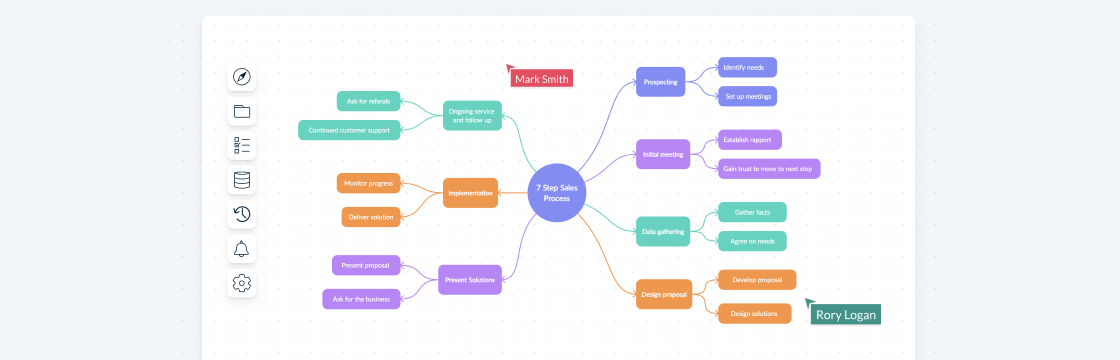
A sales process flowchart visualizes how opportunities move through sales stages, decisions, activities, and handoffs. It gives teams a shared view of the current workflow so they can investigate bottlenecks, unclear criteria, duplicated effort, and gaps between sales and adjacent teams.
This guide explains how to create and maintain a sales process flowchart, use evidence to prioritize improvements, and avoid common mapping mistakes. It also includes editable examples for different sales and customer workflows.
What Is a Sales Process Flowchart?
A sales process flowchart is a visual representation of the steps involved in selling a product or service, from the initial lead generation to the final sale and beyond. It’s essentially a roadmap that outlines the sequence of activities, interactions, and decision points that guide a salesperson through the entire sales cycle. By mapping out each stage of the sales process, a flowchart provides clarity on how leads move through the pipeline, helping teams understand the flow of work and anticipate the next steps.

What Is Sales Process Optimization?
Sales process optimization is the evidence-based improvement of how sales work moves from one stage to the next. It involves documenting the current process, comparing it with CRM and performance data, prioritizing friction points, testing changes, and reviewing the results. Keep stages, entry and exit criteria, owners, systems, decision points, and customer handoffs visible so the team can investigate where work stalls or loses context.
Optimization should start with a measurable problem rather than a broad promise to increase revenue. Depending on the issue, relevant measures may include cycle time, stage conversion, time spent on administrative work, rework, forecast accuracy, customer feedback, or the quality of marketing-to-sales and sales-to-customer-success handoffs.
The Role of Sales Process Flowcharts in Sales Process Optimization
A flowchart shows how the sales process is designed to work; it does not by itself measure team performance. Compare the mapped stages and decisions with CRM data, observations, and feedback to investigate delays, rework, unclear ownership, inconsistent qualification, and weak handoffs.
Keep the map current as the process changes, and measure whether each intervention produces the intended result. If a change does not improve the selected metric or creates new friction elsewhere, revise or reverse it where practical.
How to Create a Sales Process Flowchart
Creating a sales process flowchart starts with documenting the current workflow accurately. Avoid designing an idealized process before speaking with the people who perform the work and checking the available data.
Step 1: Identify Your Sales Stages
Define the Key Sales Process Steps:
Before you can create a sales process flowchart, you need to define the stages of your sales process. Each sales team follows a unique journey, so it’s important to tailor the steps to your specific business model. Generally, these steps include:
- Lead Generation: Where and how are you attracting prospects?
- Lead Qualification: How do you decide which leads are worth pursuing?
- Sales Presentation: What key actions do you take to present your product or service?
- Negotiation: What terms or pricing need to be discussed before closing the sale?
- Closing the Sale: The finalization of the deal.
- Post-Sale Follow-up: How do you ensure customer satisfaction and retain clients?
Best Practices for Identifying Sales Stages:
- Customize for Your Business Model: B2B sales processes may differ significantly from B2C, so tailor your stages accordingly.
- Consult Your Team: Get input from sales reps to ensure the process reflects how things are actually done on the ground.
- Keep it Simple: Too many stages can overwhelm your team. Keep the stages manageable and focused on critical touchpoints.
Step 2: Choose a Tool or Template for Your Sales Process Flowchart
Best Tools to Create a Sales Process Flowchart:
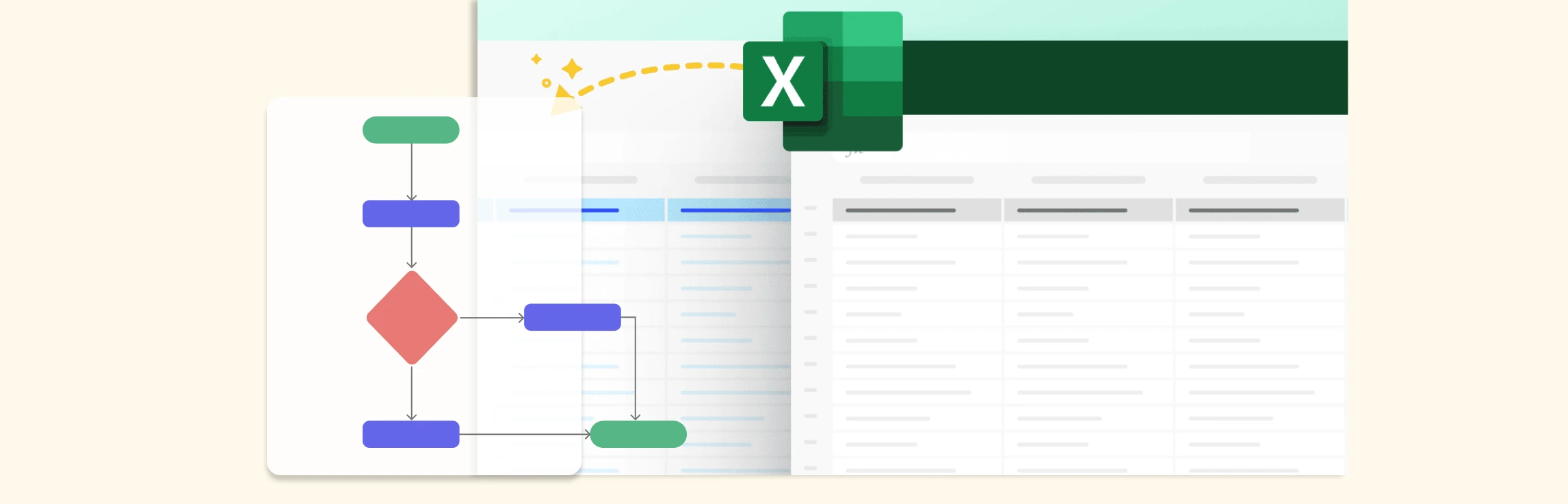
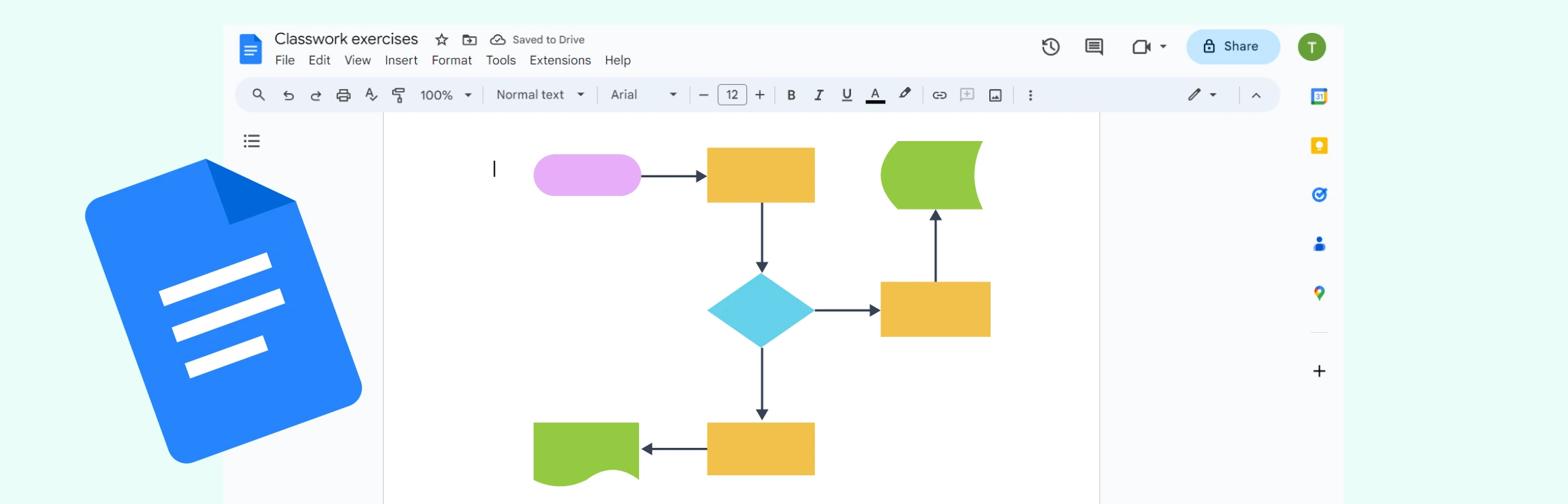
Choose a tool that supports standard flowchart shapes, clear connectors, collaborative editing, comments, ownership context, and links to related documentation. If the map will guide ongoing operations, also consider version history, permissions, exports, and how the team will keep the diagram current.
Sales Process Flowchart Templates:
Creately’s process mapping software provides editable flowchart templates and a collaborative workspace for documenting the sales process. Teams can add structured details such as owners, status, duration, systems, and tags to relevant steps; connect instructions and subprocess diagrams; and use real-time editing, threaded comments, and @mentions for contextual feedback. Treat the result as living process documentation, while keeping customer and opportunity data in the CRM and formal approvals in the appropriate system of record.
Step 3: Map Out Each Stage Visually
Tips for Effectively Visualizing Each Sales Stage:
When mapping out your sales process flowchart, it’s important to create clear, easy-to-follow visuals that everyone on your sales team can understand. Here’s how to do it:
- Use Clear Symbols: Flowcharts typically use standard shapes (rectangles for processes, diamonds for decision points) to represent different actions. Stick to these conventions to avoid confusion.
- Show the Flow of Work: Make sure to connect each stage with arrows to indicate the progression of the sales process.
- Keep it Simple: Avoid cluttering the chart with too much detail. Focus on the key stages and decisions in the sales journey.
- Use Examples: Look for process flowchart examples for inspiration, such as templates for lead qualification or sales funnel diagrams, which can guide how to structure your own flowchart.
Step 4: Implement and Share with Your Sales Team
Using the Sales Process Flowchart to Align and Communicate Sales Strategies:
Once your flowchart is ready, it’s time to share it with your sales team. The sales process flowchart should serve as a guide for your team to follow, helping everyone stay aligned on the process. Here’s how to use the sales process flowchart effectively:
- Communicate Sales Strategies: Use the sales process flowchart to help the team understand their role at each stage of the process. It can also serve as a training tool for new hires.
- Provide a reliable reference: Publish the current map in an approved shared location and link to it from relevant playbooks or systems where supported. Avoid creating uncontrolled copies that become outdated.
Best Practices for Keeping the Flowchart Updated:
- Review Regularly: As your business and sales strategies evolve, revisit the flowchart periodically to ensure it remains relevant.
- Incorporate Feedback: Regularly ask for feedback from your sales team to find out if any stages are unclear or need adjusting.
- Update for Process Changes: If you implement new strategies or technologies, ensure the flowchart reflects these updates.
A sales process flowchart isn’t a one-time tool; it’s an evolving document that should be continuously refined to reflect the changes in your business operations. Keep it updated, share it with your team, and use it to ensure a more efficient, successful sales process.
Optimizing Sales with Sales Process Flowcharts
A sales process flowchart is more than just a visual representation of your sales stages—it’s a powerful tool for identifying inefficiencies, streamlining workflows, and improving overall performance. By analyzing and refining your flowchart, you can optimize sales processes and drive better results for your business.
Optimize Sales Processes Using Insights from Your Flowchart
Once your sales process flowchart is in place, use it to pinpoint bottlenecks, inefficiencies, and opportunities for improvement. Here’s how:
- Identify Process Gaps: Look for steps where deals frequently stall or get lost. If leads consistently drop off at a particular stage, it may indicate the need for better follow-ups or improved qualification criteria.
- Improve Lead Handoffs: Ensure smooth transitions between sales stages, especially between marketing and sales teams. Misalignment in lead handoffs can slow down conversions.
- Enhance Sales Team Performance: Use the flowchart to train new hires and reinforce best practices, ensuring everyone follows a standardized process.
Continuous Improvement: Reviewing and Refining Your Flowchart
A sales process flowchart should be a living document that evolves with your business. Follow these best practices for ongoing optimization:
- Set a review cadence: Review the map at an interval appropriate to the process and after material changes to strategy, systems, roles, or buyer behavior.
- Gather Sales Team Feedback: Sales reps using the sales process flowchart daily can provide valuable insights into what’s working and what needs adjustment.
- Respond to evidence: Update the process when market conditions, customer behavior, systems, or performance data show that the current workflow no longer fits.
Common Mistakes to Avoid in Sales Process Flowcharting
While sales process flowcharts help optimize sales processes, poorly designed ones can cause confusion and inefficiencies. Avoid these common mistakes:
- Overlooking Key Sales Steps: Missing critical touchpoints, like follow-ups or customer onboarding, can create gaps in your process and lead to lost deals.
- Creating Overly Complicated Flowcharts: A sales process flowchart that’s too detailed or complex can overwhelm your sales team. Keep it clear, focusing only on essential stages.
- Ignoring Customer Perspectives: If your sales process flowchart is built purely from an internal process standpoint, it may not align with customer buying behavior. Incorporate customer feedback for a more effective approach.
Sales Process Flowchart Examples
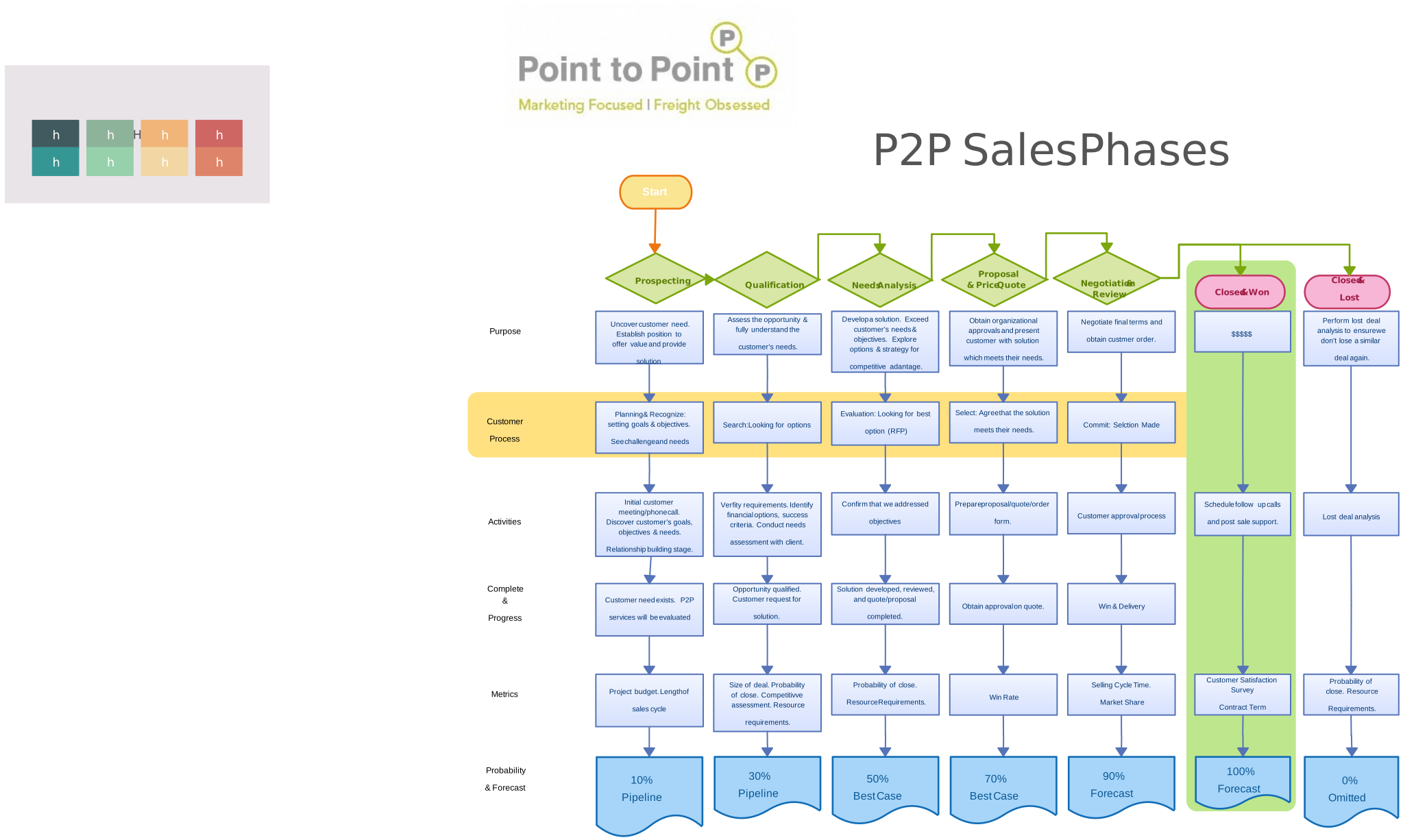
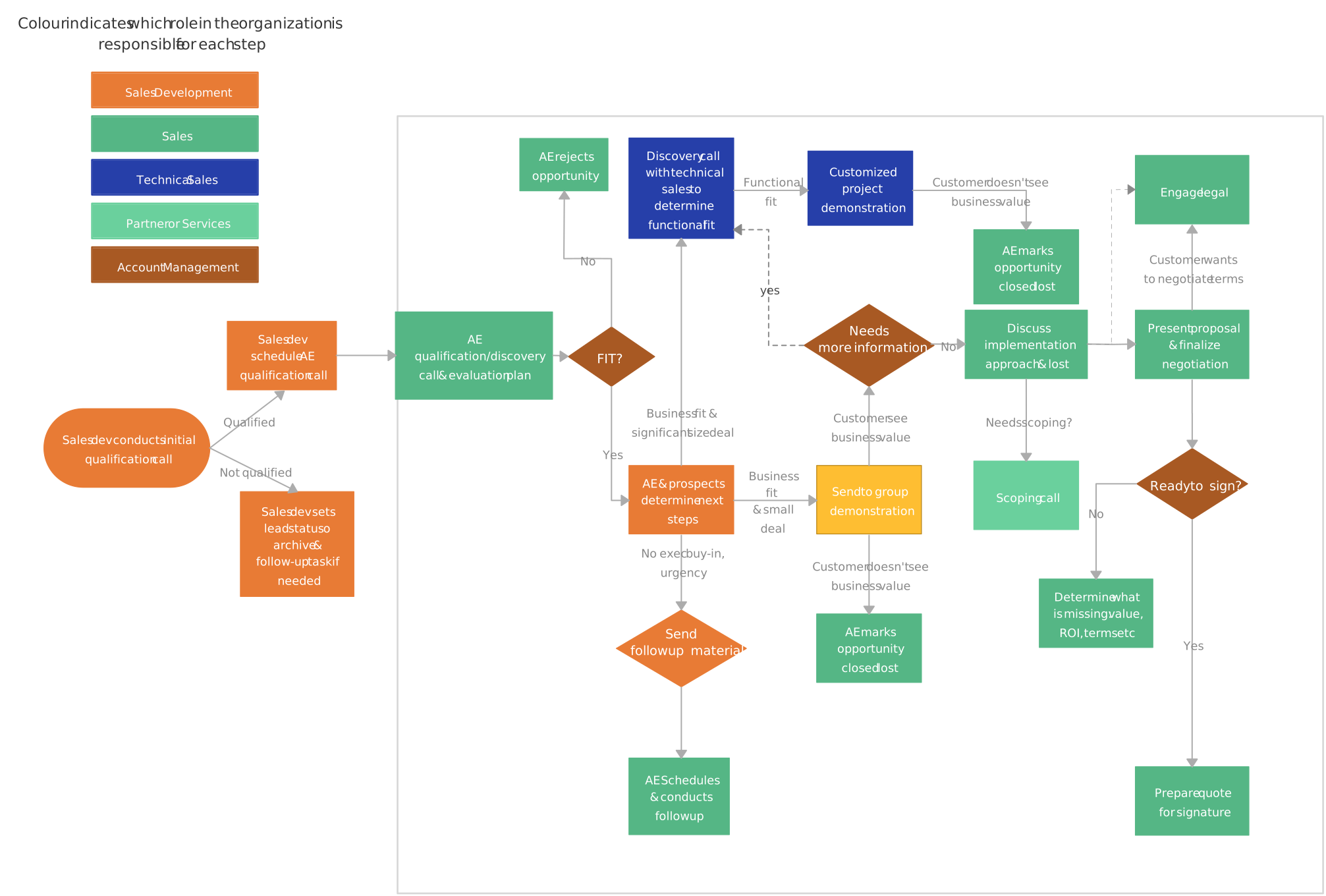
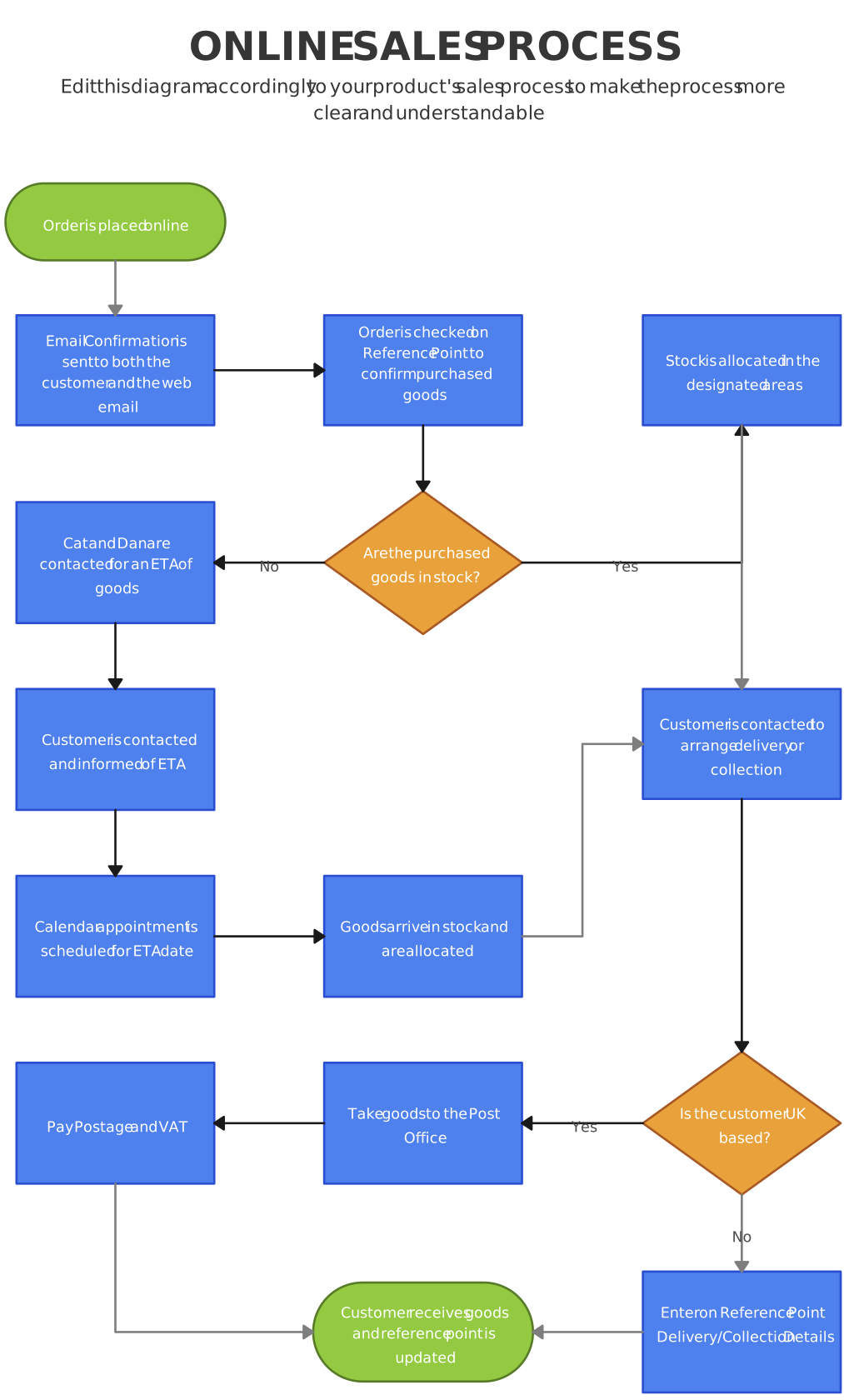
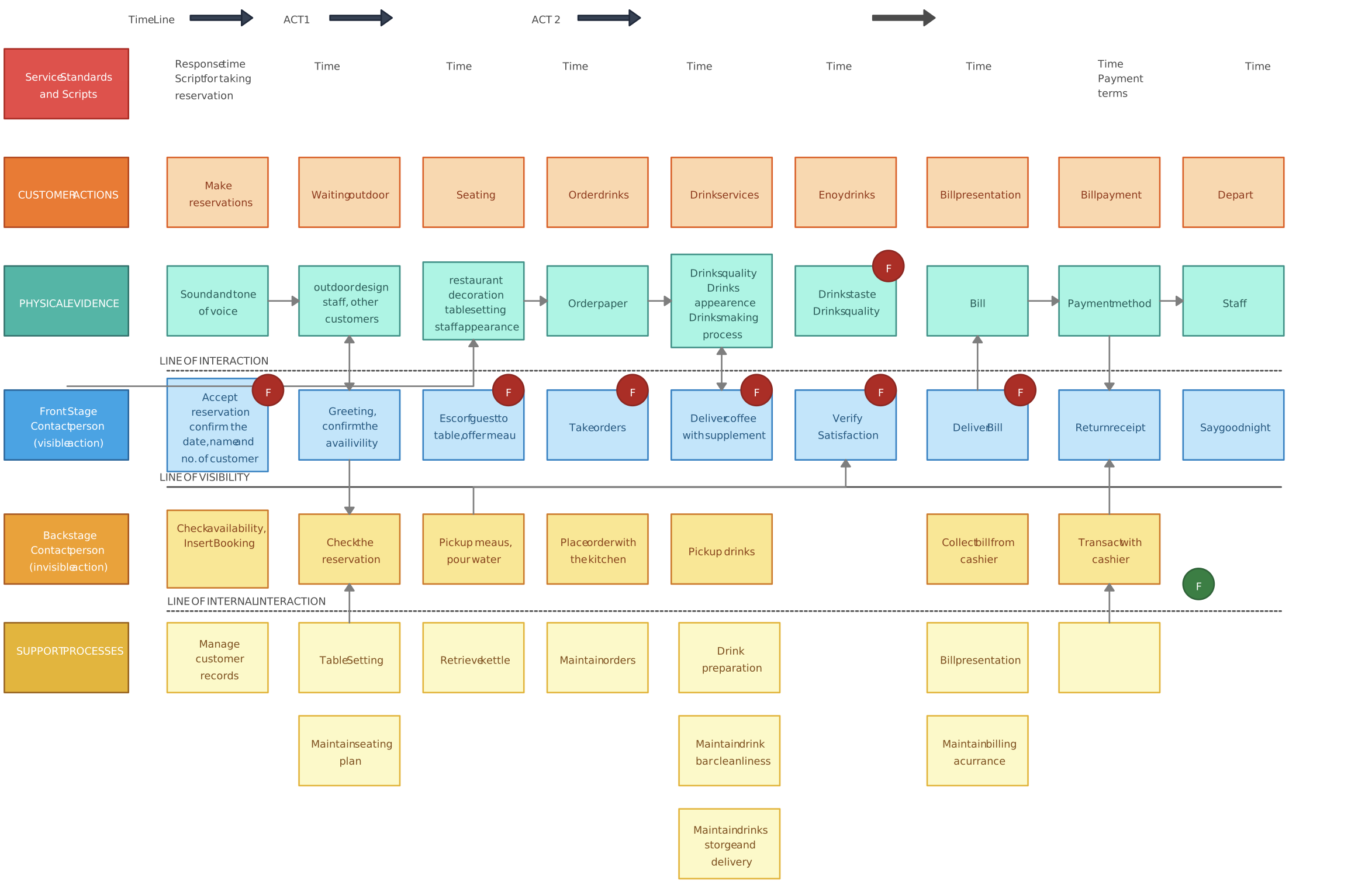
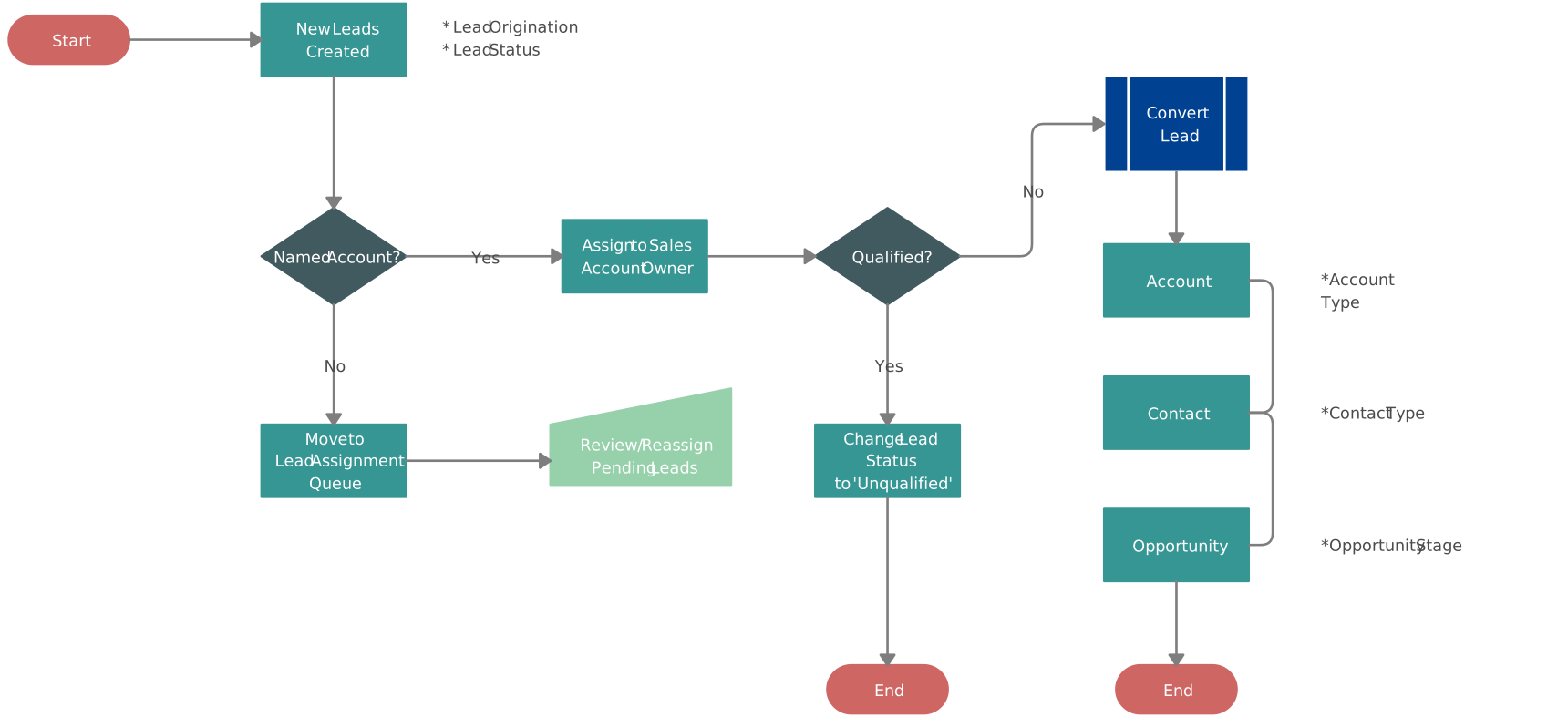
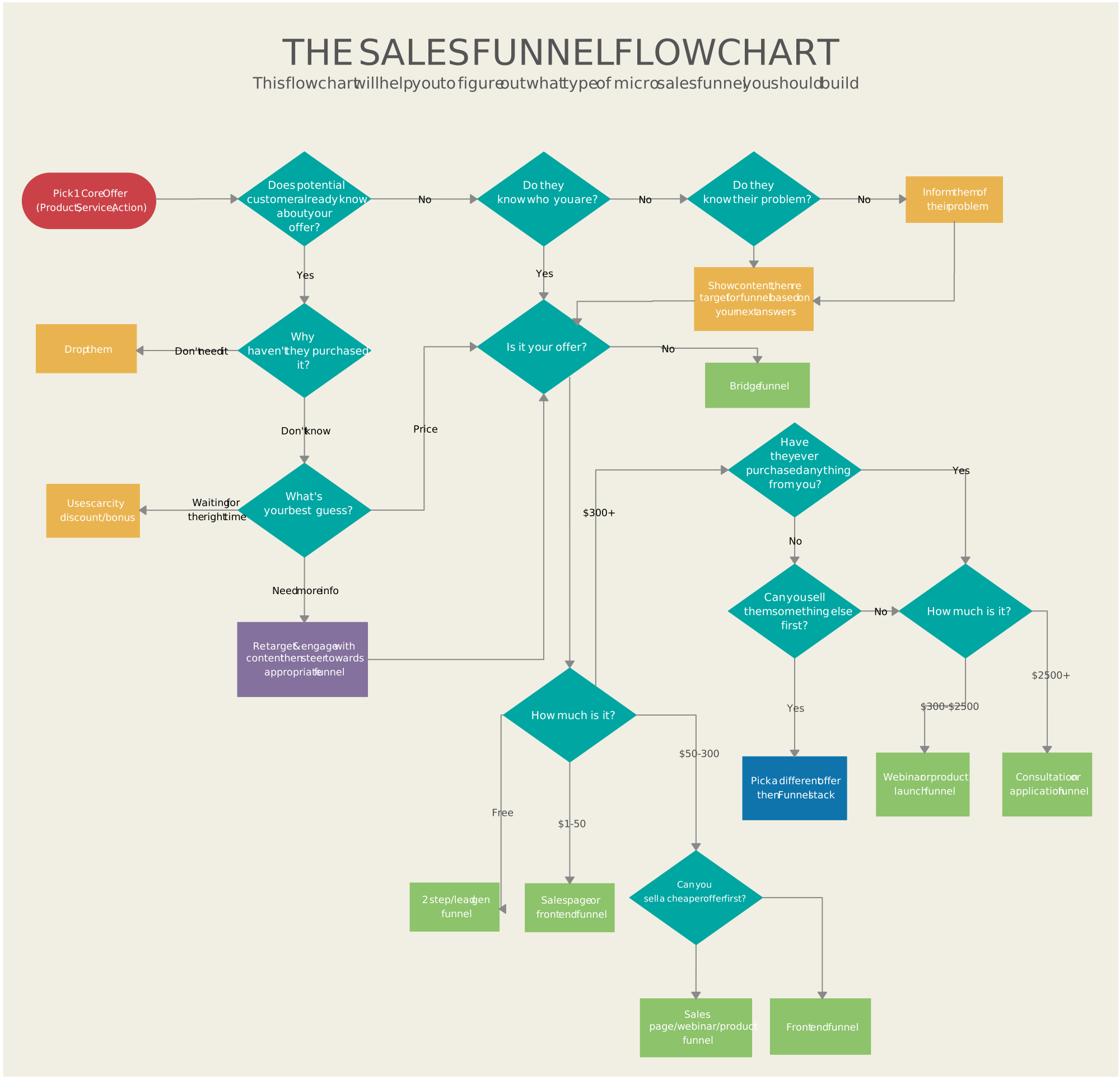
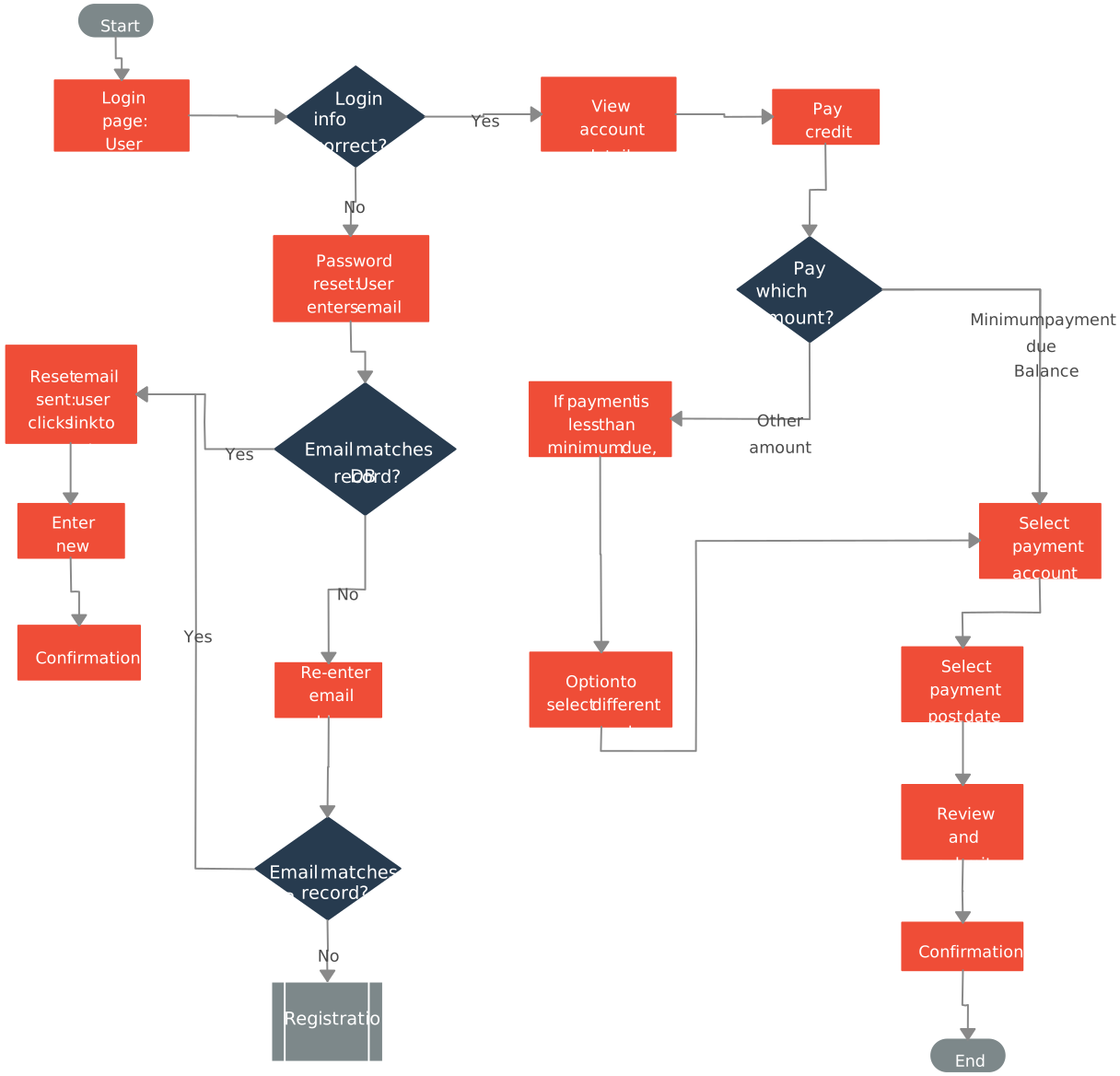
Explore editable sales process flowchart examples for lead qualification, online sales, sales orders, funnels, and related customer workflows. Adapt each template to the organization’s actual stages, criteria, roles, and systems before using it as operational guidance.



Sales Process Optimization Tips: External
Sales process flowcharts can support customer-facing communication when the diagram is relevant, accurate, and appropriate to share. Remove confidential internal details and distinguish the customer’s current process from any proposed future state.
Add Diagrams to Sales Pitches / Proposals / Documents
Use a high-level process map to show where the proposed solution interacts with the customer’s workflow, which roles or systems are affected, and which assumptions still require validation. Avoid presenting estimated benefits as confirmed results.
Show How They Can Benefit from the Solution You Provide
A customer-facing flowchart can explain evaluation, procurement, onboarding, implementation, and support steps. Include expected inputs, owners, dependencies, and handoffs so both sides understand what happens next.
Explain the Sales Process
If the sales process transitions to implementation or customer success, map the information and responsibilities that must move with the account. Link to the current plan or schedule in the appropriate project system instead of duplicating dates in multiple diagrams.
Internal Sales Process Optimization: Mapping and Refining Your Sales Strategy
- Map Out Complex Sales Processes
- Analyzing Sales Funnel with Flowcharts
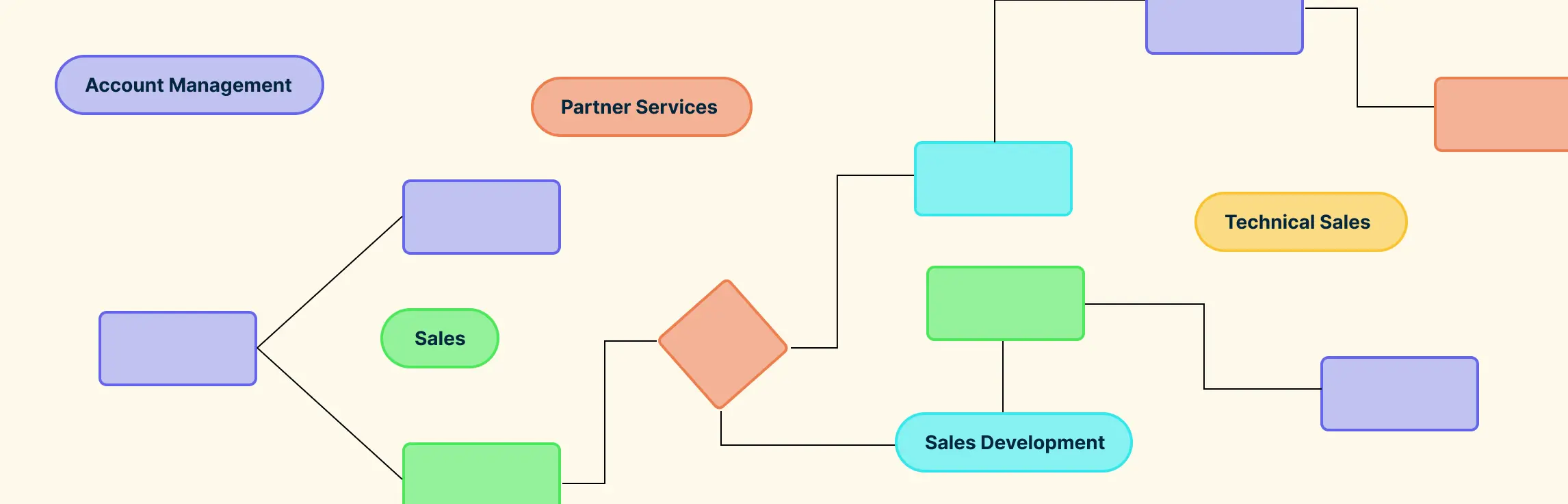
- Identify Your Prospects with Account Maps
- Map Out Your Internal Sales Processes
- Create a Customer Journey Map
Map Out Complex Sales Processes
Some transactions involve one buyer and a short cycle; complex B2B opportunities may involve multiple stakeholders, evaluations, approvals, procurement activities, and handoffs. Map the roles, decision points, required evidence, and transitions so the team can see how the work is expected to progress.
Analyzing Sales Funnel with Flowcharts
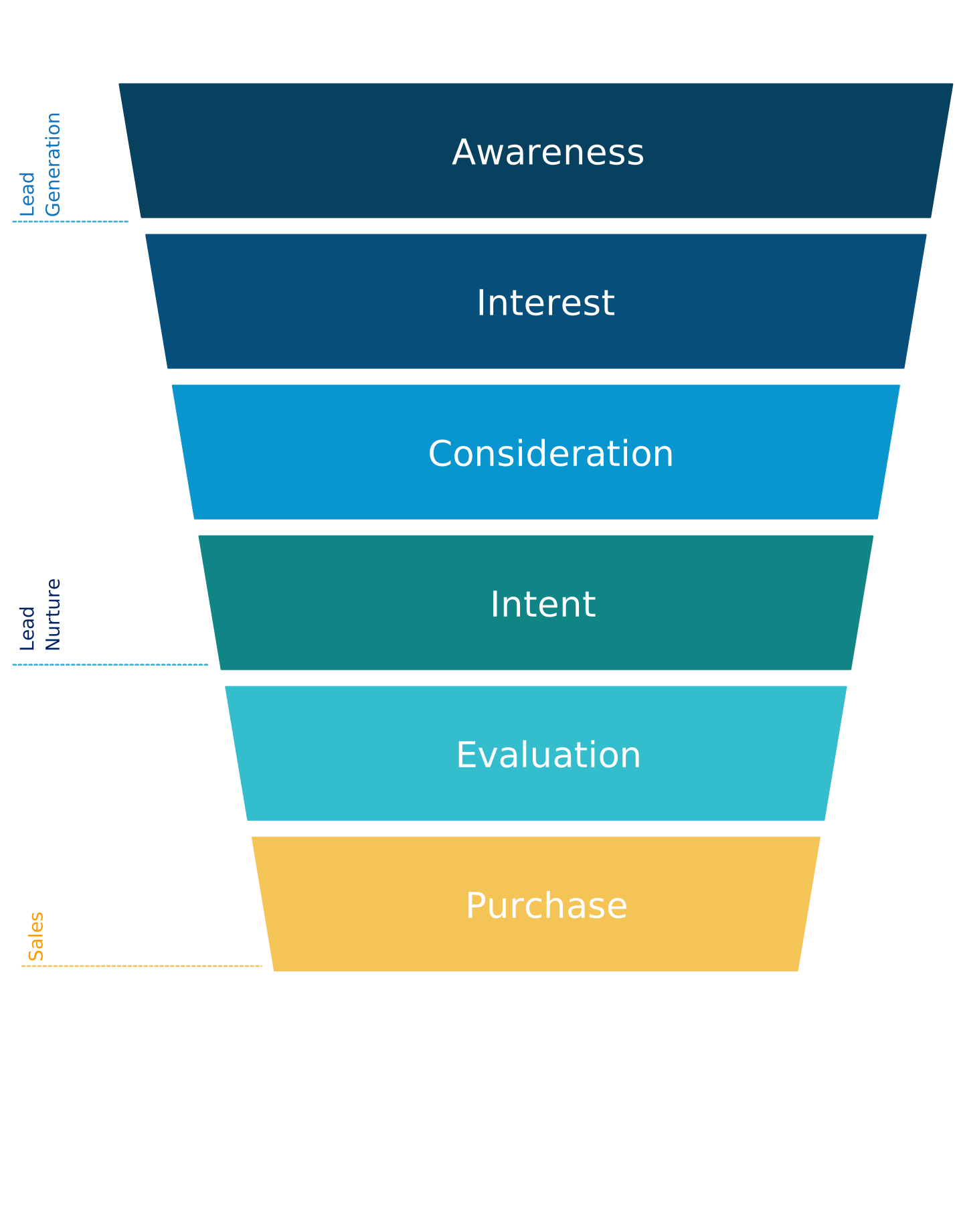
A funnel summarizes how a defined group moves through stages; it should not assume that every website visitor is a sales lead. Define the population, stage-entry rules, stage-exit rules, and reporting period before interpreting conversion.
Use CRM and analytics data to calculate movement and loss between stages, then use a flowchart to investigate why those changes occur. For example, examine whether qualification criteria are unclear, follow-up is delayed, required information is missing, or ownership changes without a complete handoff.
Identify Your Prospects with Account Maps
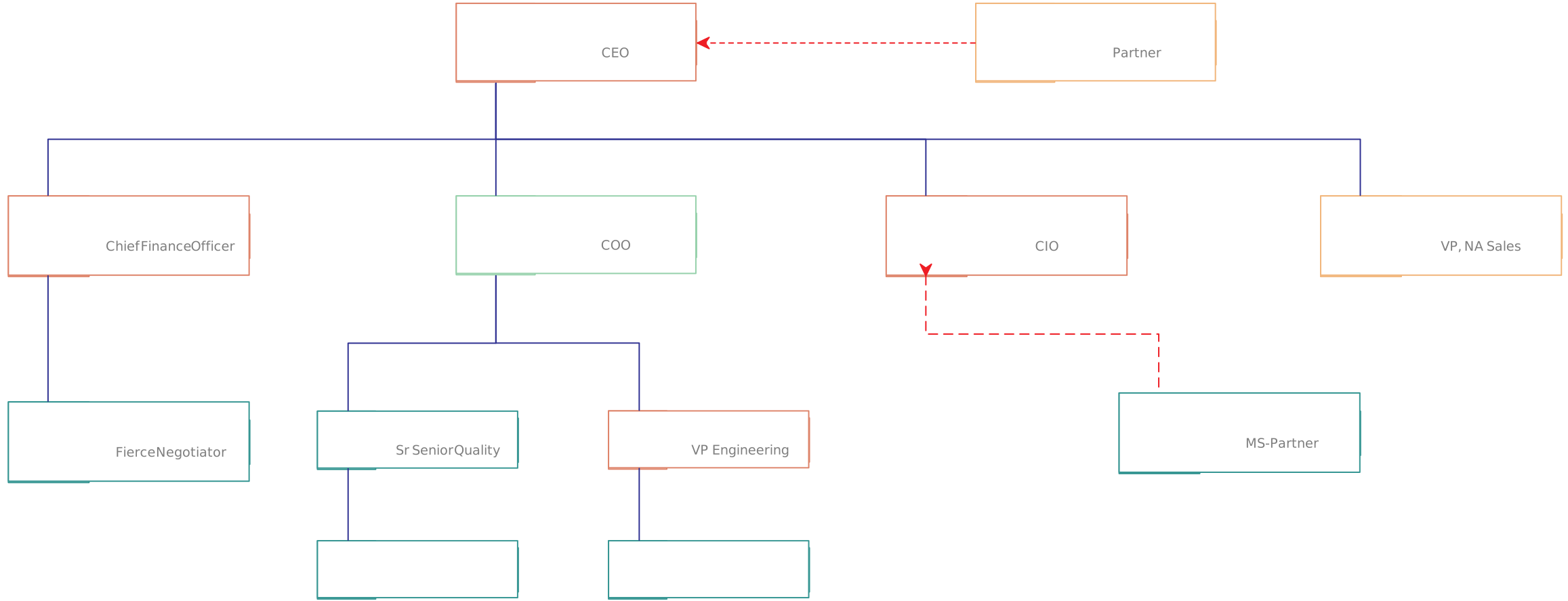
Account maps help teams document known stakeholders, roles, influence, relationships, priorities, and gaps within a target account. Treat unverified relationships or motivations as assumptions until they are confirmed.
To draw an account map, begin with your best contact in an account. Then identify the other leading roles who will be involved in the buying process. Try to figure out how the people on your map relate to each other – the lines of communication among them.
Use the map to plan respectful stakeholder engagement: identify who is affected by the proposed change, who needs evidence, who may raise legitimate concerns, and where additional discovery is required.

Map Out Your Internal Sales Processes
Use a process map to document how sales work should progress for a defined product, segment, or motion. Keep the authoritative process separate from individual opportunity data, and identify the owner responsible for maintaining it.
Current process documentation can:
- Give sales and adjacent teams a shared reference for stages, criteria, roles, and handoffs.
- Support onboarding and coaching with a consistent view of the workflow.
- Make proposed process changes easier to discuss, test, and communicate.

Create a Customer Journey Map
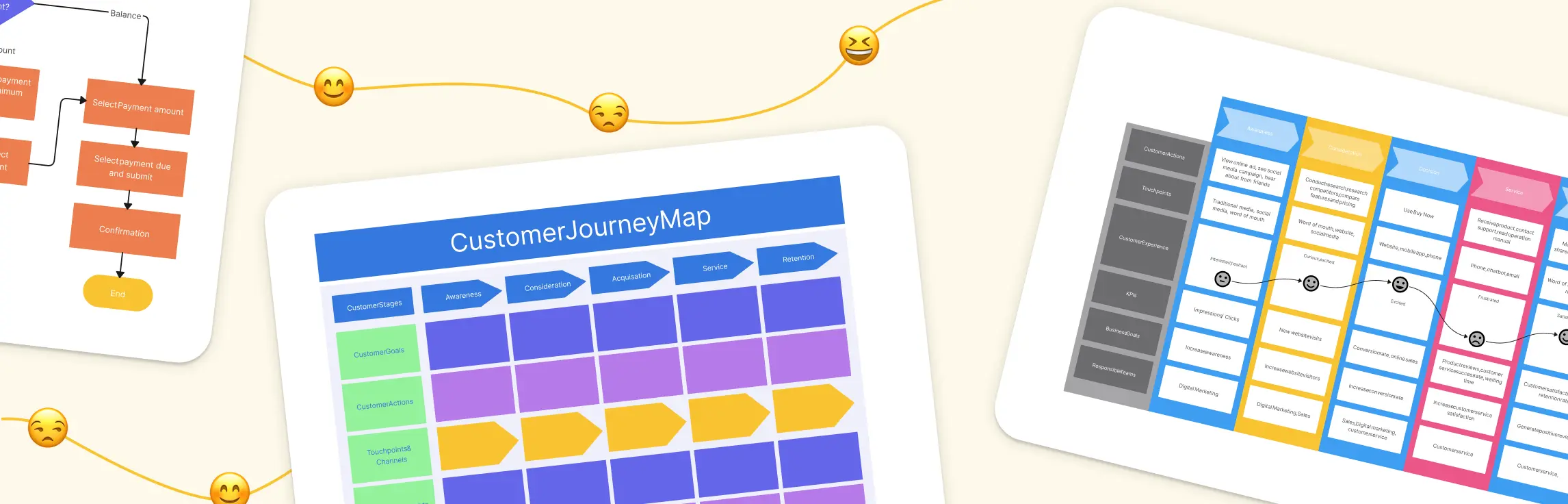
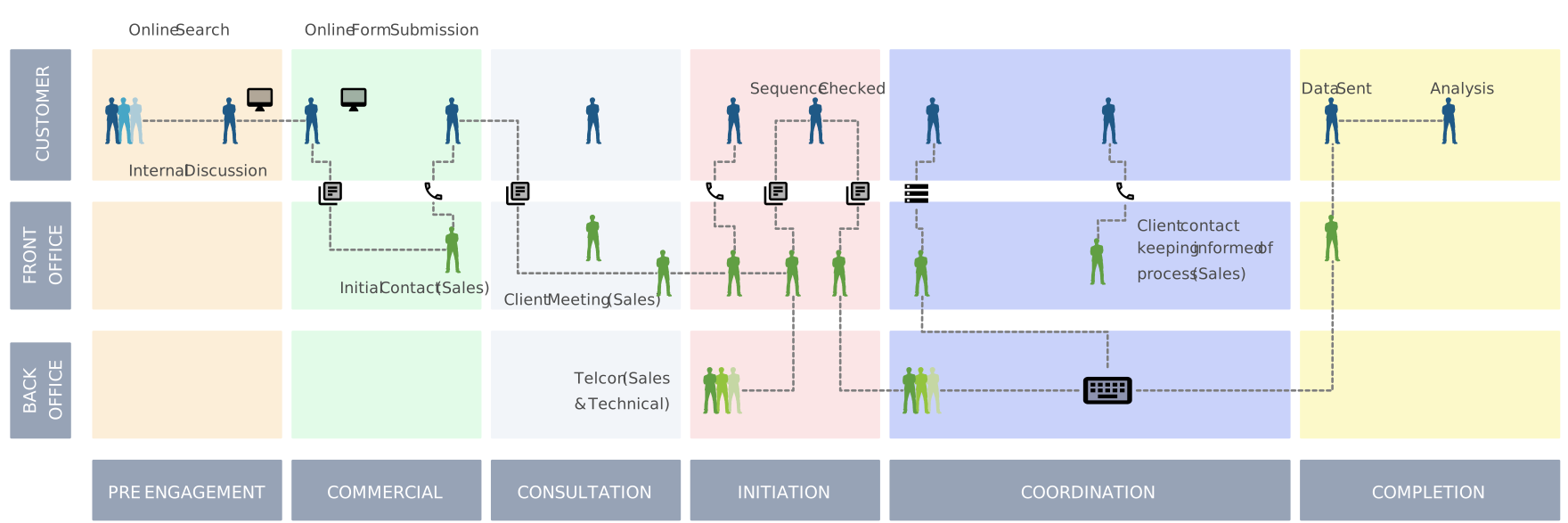
Customer journey map templates help teams document customer goals, interactions, experiences, and organizational touchpoints across a defined journey.
Compare the customer journey with the internal sales process to find mismatched expectations, duplicated requests, missing communication, or weak handoffs. Use customer research and feedback to validate the journey rather than relying only on internal assumptions.
Helpful Resources
Effortlessly create and share flowcharts, enhancing team communication and streamlining workflows with free flowchart software.
Explore flowchart history, symbols, creation steps, and practical applications in this comprehensive tutorial.
Learn the basics of how to create a simple flowchart and continue to expand your skills.
Learn the various symbols used in flowcharting, their meanings, and how to use them effectively.
Discover 10 practical flowchart ideas and try out the editable templates.
Conclusion: Transform Your Sales Process with Flowcharts
A sales process flowchart makes stages, decisions, owners, systems, and handoffs visible. Its value comes from how accurately it reflects the current workflow and how consistently the team uses evidence to review proposed changes.
Assign an owner, define a review cadence, and compare the map with CRM data and feedback. Test improvements against a specific measure, document what changed, and keep the shared process reference current as the sales motion evolves.
FAQs on Sales Process Flowchart
What is a sales process flowchart, and why is it important?
How can I create an effective sales process flowchart?
To create a sales process flowchart:
Define the scope and start and end points.
Document the current stages, decisions, owners, systems, and handoffs.
Validate the map with the people doing the work.
Compare it with CRM and performance data.
Assign an owner and review cadence for updates.
How can a sales process flowchart help improve sales performance?
Why should an organization invest in sales process optimization?
What are the steps involved in sales process optimization?
Who is involved in sales process optimization?
Resources: Barber, C.S. and Tietje, B.C. (2008). A Research Agenda for Value Stream Mapping the Sales Process. Journal of Personal Selling & Sales Management, 28(2), pp.155–165. doi:https://doi.org/10.2753/pss0885-3134280204.
Lee, N., Bae, J.K. and Koo, C. (2011). An agent-based cognitive mapping system for sales opportunity analysis. Expert Systems with Applications, 38(6), pp.7016–7028. doi:https://doi.org/10.1016/j.eswa.2010.12.013.
Rabetino, R., Ogundipe, S.J. and Kohtamäki, M. (2018). Solution sales process blueprinting. International Journal of Business Environment, 10(2), p.132. doi:https://doi.org/10.1504/ijbe.2018.095799.