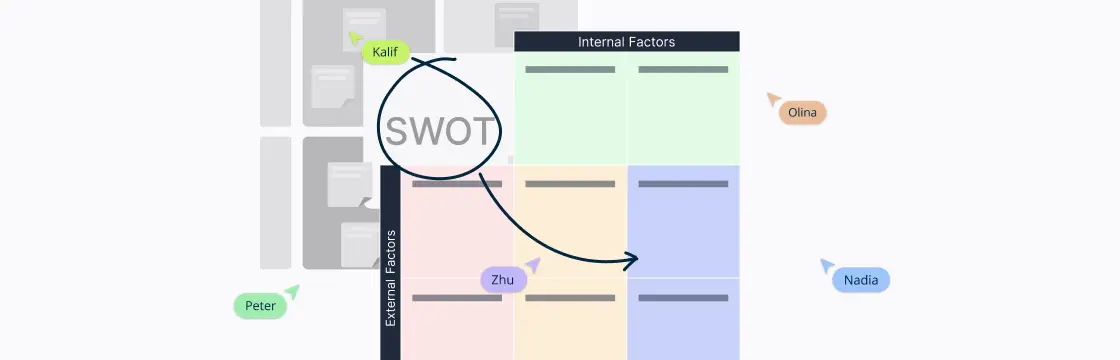
Turning insights into action can be tricky—that’s where the TOWS matrix shines. It helps you spot opportunities, tackle challenges, and map out strategies that actually work. Simple, visual, and practical, it’s a tool teams can use to make smarter decisions fast.
This guide shows how to use the TOWS matrix to turn insights into actionable strategies and smarter decisions.
What Is a TOWS Matrix
A TOWS matrix is a simple yet powerful tool that helps you move from thinking about your business or project to actually planning your next steps. Think of it as a map for strategy: it takes your internal strengths and weaknesses and pairs them with external opportunities and threats to help you figure out the best moves.
Unlike traditional SWOT analysis, which often stops at just listing these factors, the TOWS model pushes you to connect the dots. For example, it encourages you to ask questions like: “How can we use our strengths to grab new opportunities?” or “How do we minimize our weaknesses to avoid threats?” By organizing these insights into a clear, visual grid, the TOWS matrix makes it easier to spot patterns, explore possibilities, and create practical strategies you can actually act on.
Components of the TOWS Matrix
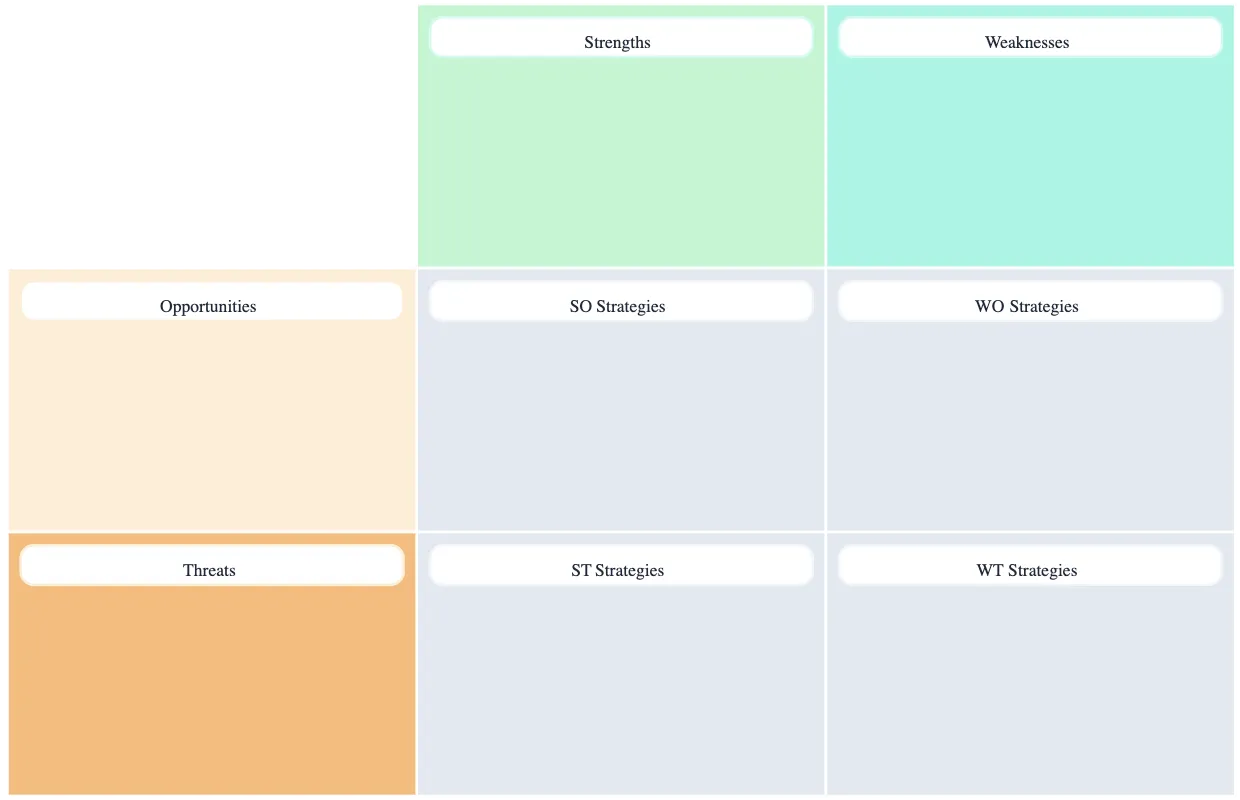
The TOWS matrix helps you move from simply listing strengths, weaknesses, opportunities, and threats to creating concrete strategies. By combining internal and external factors in a grid, you can see the best ways to act.
Internal factors
Strengths (S): These are the things your organization or team does well. They can include resources, skills, unique capabilities, or competitive advantages. Knowing your strengths helps you figure out what you can build on to take advantage of opportunities or counter threats.
Weaknesses (W): These are internal areas that need improvement or could hold you back. It could be anything from limited skills, outdated processes, or resource gaps. Identifying weaknesses lets you plan ways to address them before they become bigger problems.
External factors
Opportunities (O): Favorable situations in your market or environment that you can leverage to grow or improve. This could include emerging trends, customer needs, or gaps in the market. Opportunities are chances to turn your strengths into real results.
Threats (T): Challenges or risks outside your control that could impact your success, such as competitors, economic shifts, or regulatory changes. Recognizing threats early allows you to plan defensive strategies.
The four strategy quadrants
The magic of the TOWS matrix comes when you combine these factors. Each intersection creates a strategy type:
| Strategy Type | What It Means | How It Works | Example |
| SO (Maxi-Maxi) | Use strengths to seize opportunities | Leverage your strong points to take full advantage of external opportunities | A well-known brand launches a new product in a growing market segment |
| ST (Maxi-Mini) | Use strengths to reduce threats | Use your advantages to protect against risks or challenges | A company with strong customer loyalty adjusts pricing strategies to counter competitor discounts |
| WO (Mini-Maxi) | Overcome weaknesses by pursuing opportunities | Improve internal weaknesses to be able to exploit external opportunities | A team lacking digital skills undergoes training to implement a new technology that competitors haven’t adopted yet |
| WT (Mini-Mini) | Minimize weaknesses and avoid threats | Defensive strategies to reduce vulnerability to external risks | A small business reduces debt and diversifies suppliers to survive an economic downturn |
How to Do a TOWS Analysis
Conducting a TOWS matrix analysis is about moving from simply knowing your strengths, weaknesses, opportunities, and threats to actually using them to make smart strategy decisions. It builds directly on a SWOT analysis but goes further by connecting internal and external factors in a meaningful way.
Step 1. Start with a solid SWOT analysis
Before you begin the TOWS process, you need a complete SWOT analysis. Write down your internal strengths and weaknesses and your external opportunities and threats. Be honest and include things that truly reflect your situation right now. This becomes the raw material for your TOWS work.
Tips:
Involve different team members—fresh perspectives help uncover insights you might miss.
Use data wherever possible—customer feedback, market research, industry trends, etc.
Creately tip: You can use pre-made SWOT templates in Creately to get started quickly, and attach research data, documents, or notes directly to sticky notes. This makes brainstorming easier and keeps all your insights organized in one place.
Step 2. Build your TOWS matrix framework
Draw a simple 2×2 grid with internal factors on the top (strengths and weaknesses) and external factors on the left (opportunities and threats). Label each quadrant so it’s clear where you’ll combine internal and external elements:
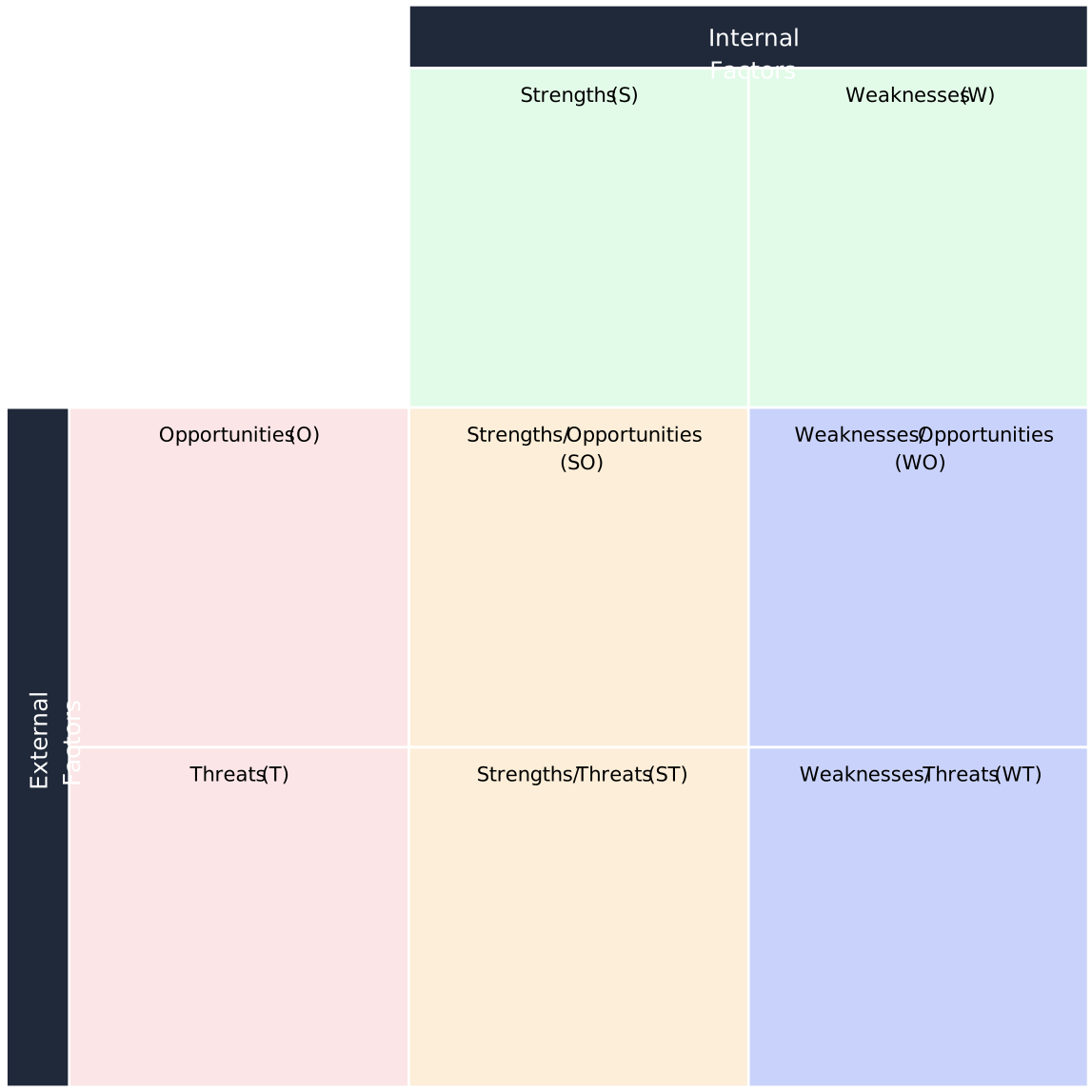

Creately tip: Drag and drop a TOWS matrix template from Creately’s template library next to your SWOT analysis matrix, then simply drag your SWOT sticky notes into the relevant TOWS quadrants. This makes the process visual and interactive, letting you see connections immediately.
Step 3. Fill in the quadrants with combinations of factors
Now you’re ready to mix and match your SWOT findings to generate TOWS strategy ideas:
SO strategies: How can you use strengths to grab opportunities?
ST strategies: How can strengths help you reduce or defend against threats?
WO strategies: How can opportunities help overcome weaknesses?
WT strategies: How can you minimize weaknesses and avoid threats?
As you place ideas into each box, ask simple questions such as:
“Which strength helps us take advantage of this opportunity?”
“Can this opportunity help us fix a weakness?”
Creately tip: Use numbered or color-coded connectors in Creately to link internal factors to external ones in each quadrant. This makes relationships clear and helps you see strategy opportunities at a glance.
Step 4. Brainstorm strategic ideas for each quadrant
Don’t just list factors—create real strategy options. Think of specific actions or initiatives. For example:
If customer loyalty is a strength and an opportunity is market growth, *could you launch a new product to attract more customers?
If a weakness is outdated technology and a threat is rising competition, *could you invest in new tools to stay competitive?
Write clear, action-oriented statements like: “Launch a digital training program to improve skills by next quarter.”
Creately tip: Take advantage of Creately’s built-in brainstorming tools or sticky note walls for real-time collaboration. Team members can contribute ideas simultaneously, making it easy to capture a wide range of perspectives and keep all brainstorming in one central space.
Step 5. Evaluate and prioritize your strategies
You’ll likely end up with more strategy ideas than you can act on, so it’s key to sort them. Look at factors like:
Feasibility: Do you have the resources?
Impact: Will it make a difference?
Alignment: Does it support your main goals?
Choose the options that are most realistic and helpful first.
Creately tip: In Creately, you can use voting, emojis, or a prioritization matrix to visually rate and rank strategies. This makes it simple to see which ideas are most supported by the team and should be implemented first.
Step 6. Turn strategies into action plans
For each priority strategy, outline what you’ll do, who’s responsible, and when it should happen. Include resources needed (budget, skills, tools) and milestones to track progress. This turns ideas into real work rather than just notes on a page.
Creately tip: Use action plan templates in Creately to turn your TOWS strategies into clear, step-by-step plans. You can link tasks to team members, deadlines, and milestones all within the same collaborative workspace.
Step 7. Monitor and review over time
A TOWS analysis isn’t a one-time task. Revisit your matrix periodically—especially as your market changes or new information becomes available. Update it with fresh data to keep your plans relevant and effective.
Creately tip: Keep your TOWS matrix in Creately’s collaborative environment so updates, presentations, and progress tracking are seamless. Everyone can access the latest version, and version history lets you see how strategies evolve over time.
Ready-to-Use Free TOWS Matrix Templates
Now that you know what is a TOWS Matrix and how to create one, here are some templates to get started.
TOWS Matrix Template
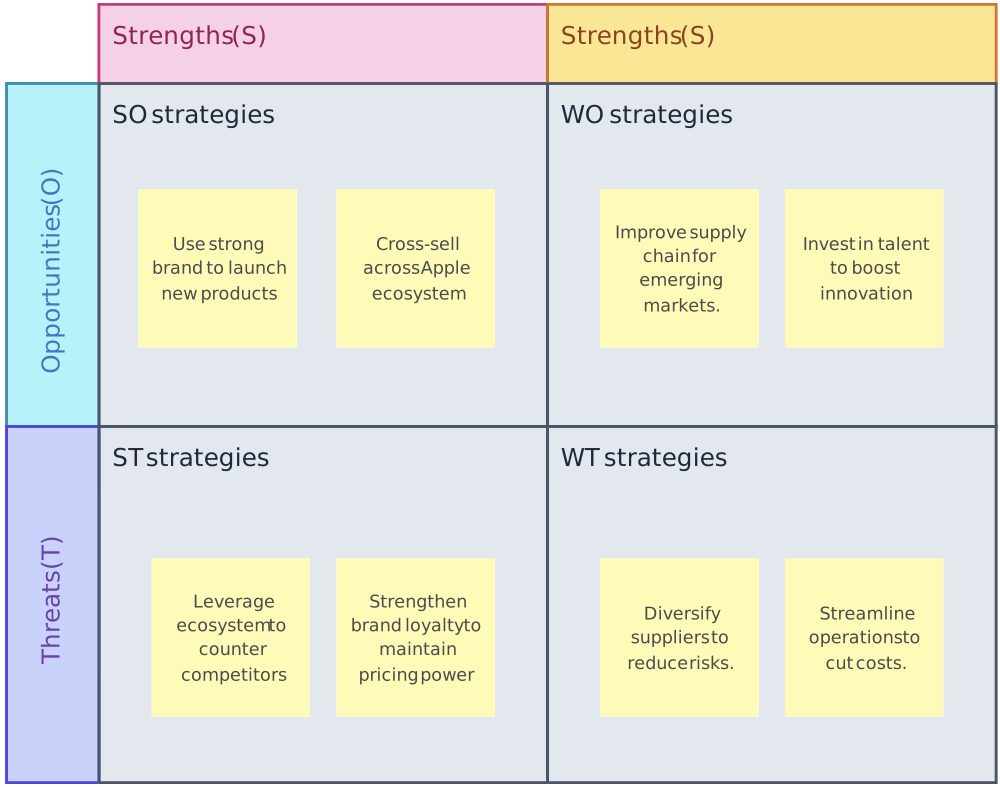
TOWS Matrix for Apple
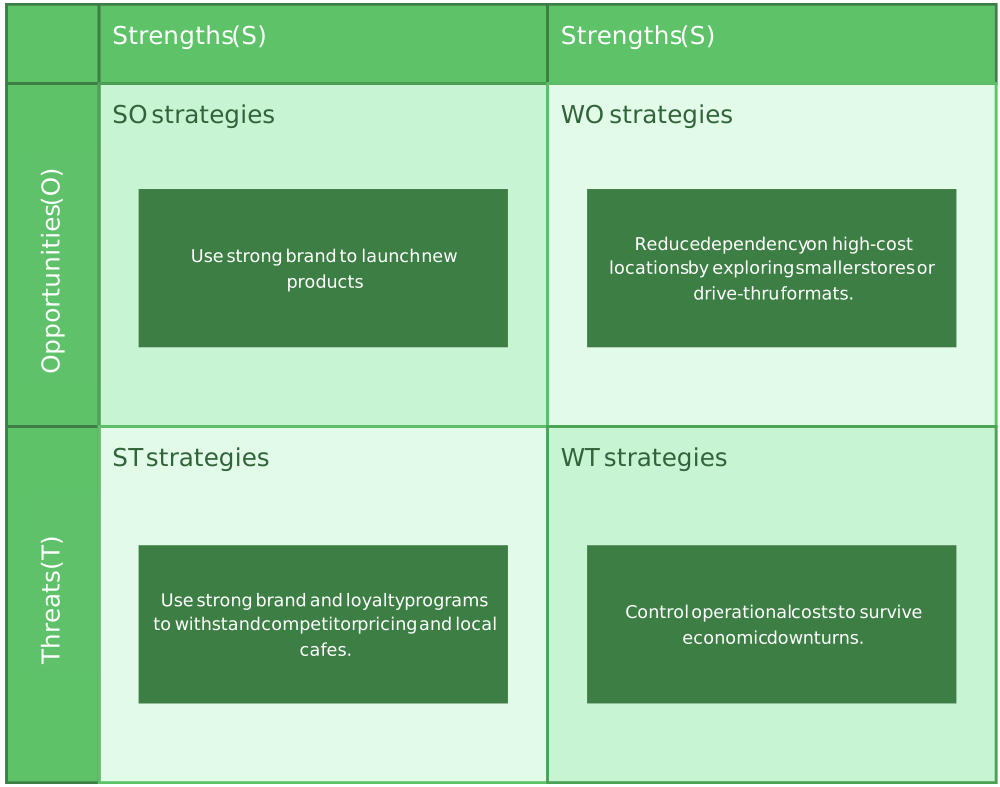
TOWS Matrix for Starbucks
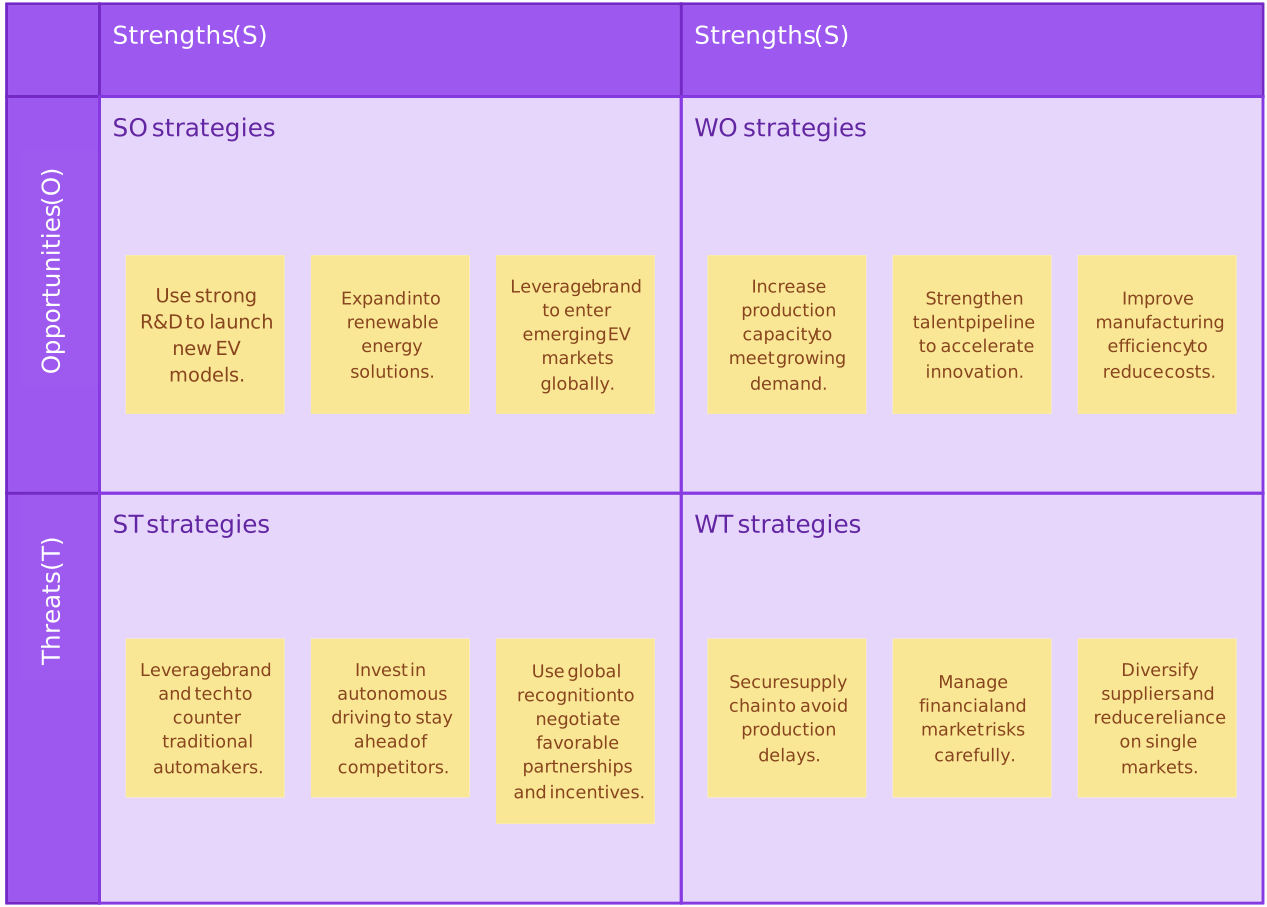
TOWS Matrix for Tesla
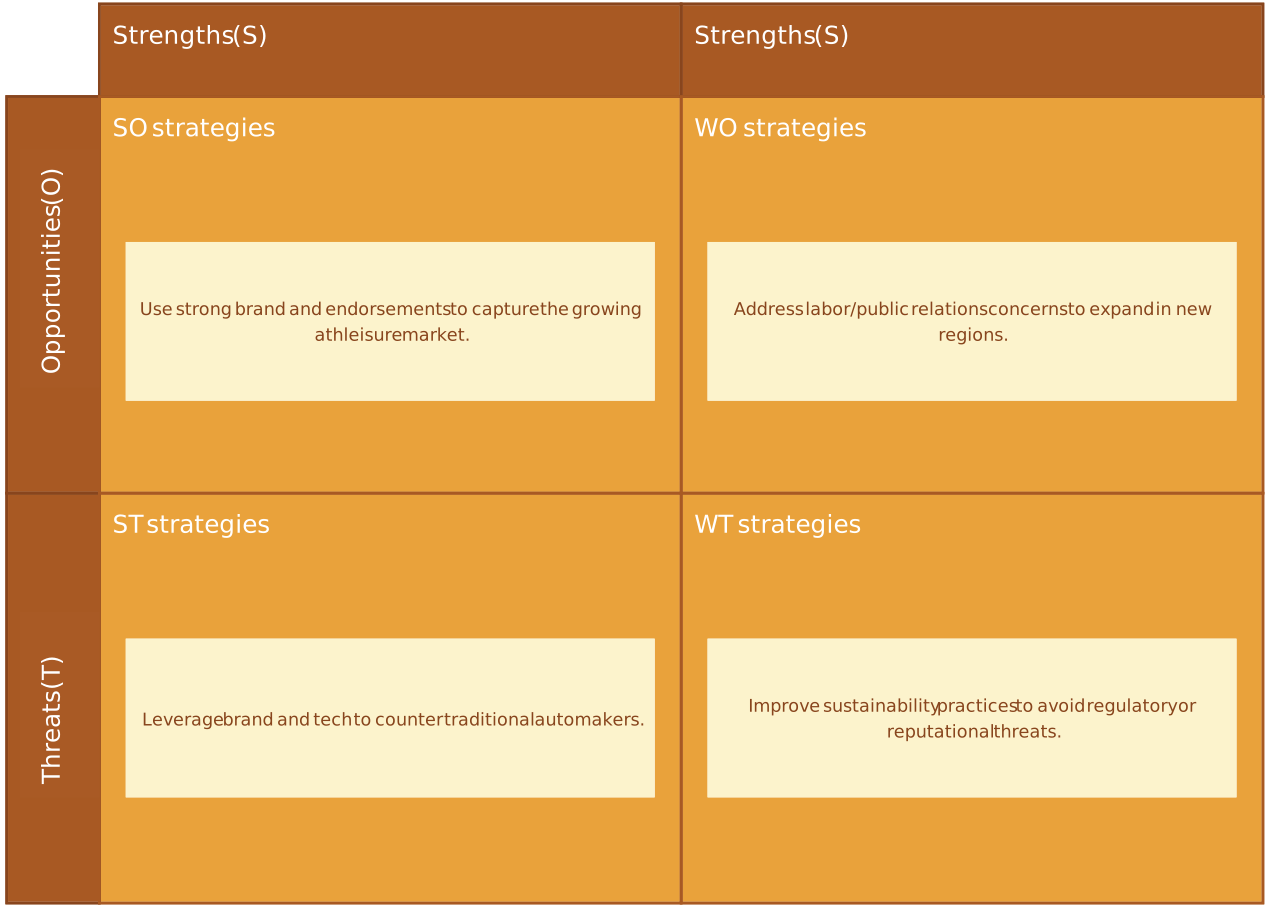
Nike TOWS Matrix
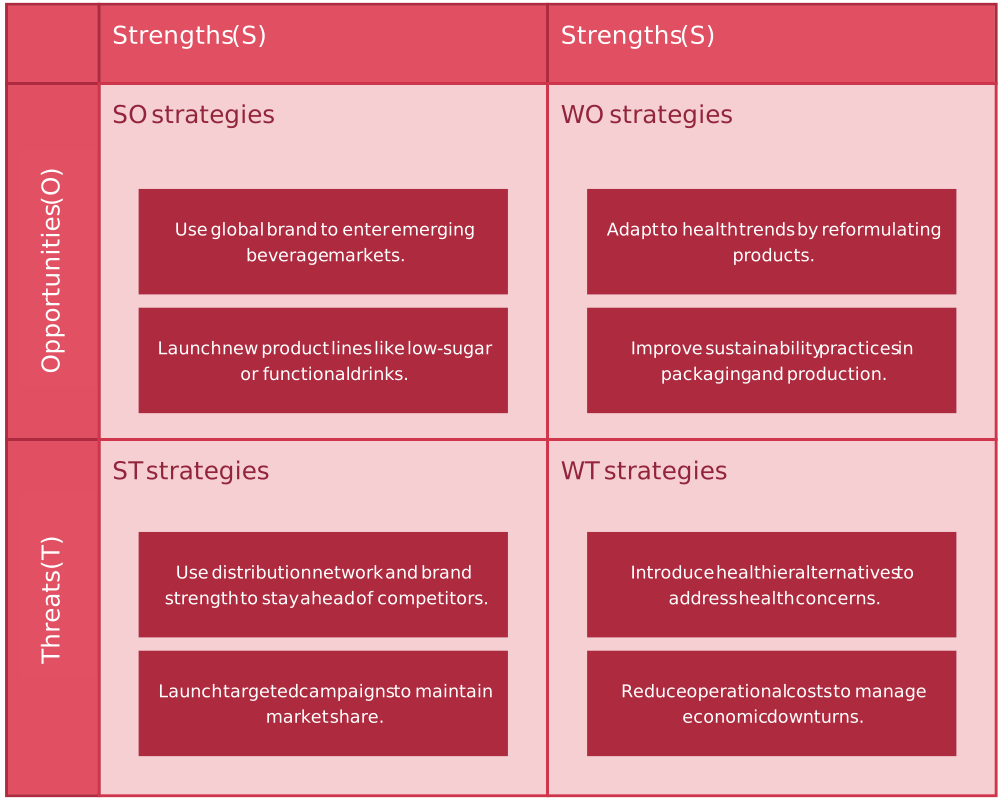
TOWS Matrix for Coca Cola
FAQs About the TOWS Framework
What is the difference between TOWS vs SWOT?
Who invented TOWS?
Why should I use a TOWS matrix?
Can TOWS be used for small businesses?
Can TOWS help in personal or career planning?
Can TOWS replace SWOT?
What are the most common mistakes when using TOWS?