A purchase order process gives a business a consistent way to request, approve, place, receive, and pay for purchases. When the workflow is clear, teams can control spending, reduce delays, and understand who owns each decision and handoff.
This guide explains what a purchase order is, outlines the typical purchase order process steps, highlights common manual-process problems, and shows how to document and improve the workflow with Creately.
- What Is a Purchase Order?
- Steps in the Purchase Order Process
- Pain Points of a Manual Purchase Order Process
- Why Digitize Your Purchase Order Process?
- How to Map and Improve the Purchase Order Process with Creately
- Conclusion
- FAQs About the Purchase Order Process
What is a Purchase Order?
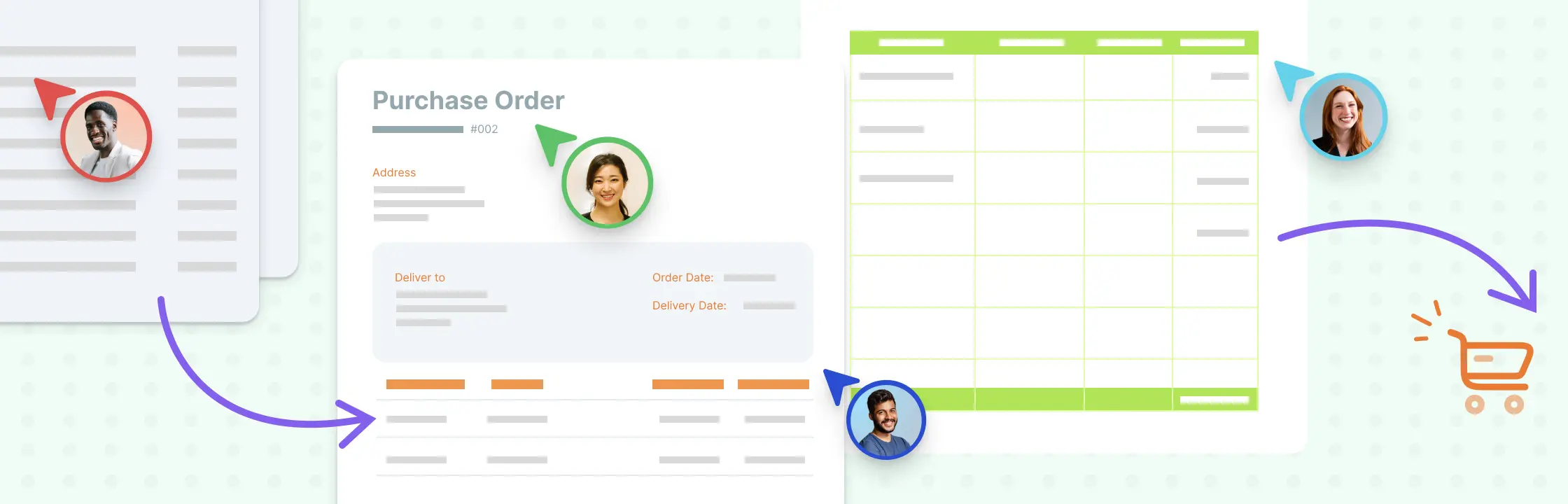
A purchase order (PO) is a buyer-issued document that authorizes a purchase and records the agreed commercial details. Depending on the purchase, it may include:
- Buyer and supplier names and contact details
- A unique PO number and issue date
- A description of the goods or services
- Quantities, unit prices, taxes, and total value
- Delivery location, dates, and terms
- Payment terms
- Relevant specifications, contract references, or terms and conditions
- The buyer’s authorized approval
A PO is different from an invoice. The buyer issues the purchase order before fulfillment, while the supplier issues an invoice to request payment. A PO may become contractually binding when the supplier accepts it, but the effect depends on its wording, the wider agreement, and applicable law. Organizations should follow their approved procurement and legal guidance.
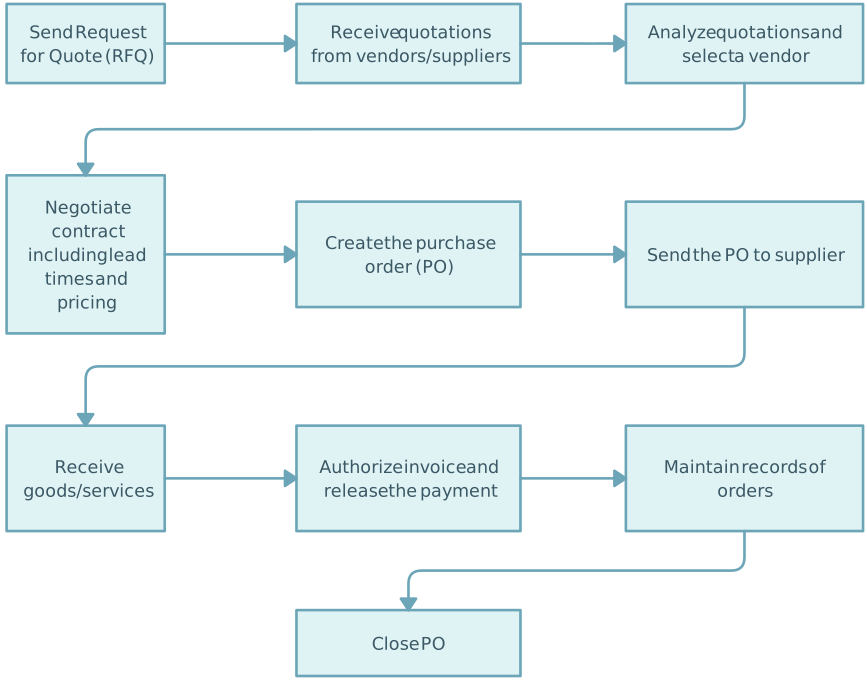

Steps in the Purchase Order Process
The exact workflow varies by organization, purchase value, risk, and policy. A typical purchase order process includes the following steps:
- Identify the need and create a purchase requisition. The requester describes what is needed, why it is needed, the expected cost, budget, preferred supplier, and required date.
- Review the request and obtain approval. The appropriate budget owner, procurement team, or other approver checks the business need, funding, policy requirements, and conflicts of interest.
- Select or confirm the supplier. The team may request quotations, compare suppliers, use an approved vendor, or follow a formal sourcing process depending on value and risk.
- Create and issue the purchase order. An authorized buyer prepares the PO with accurate commercial and delivery details, assigns a unique number, and sends it to the supplier.
- Record supplier acceptance or resolve changes. The supplier confirms the order or proposes changes. Any amendment should follow the organization’s approval and recordkeeping process.
- Receive and inspect the goods or services. The receiving team records delivery and checks quantity, condition, quality, and completion against the PO.
- Match the PO, receipt, and invoice. Accounts payable compares the purchase order, proof of receipt, and supplier invoice. Exceptions such as price, quantity, tax, or delivery discrepancies are routed to the appropriate owner.
- Approve and make payment. Once the required checks are complete, payment is made according to the approved terms and controls.
- Close and retain the record. Update the final status and retain the PO, approvals, receipts, invoices, amendments, and exception records according to policy and legal requirements.
Not every purchase follows the same path. Urgent purchases, services, blanket orders, partial deliveries, returns, and disputed invoices need clearly documented exception routes.
Pain Points of the Manual Purchase Order Process
A process that depends on email, spreadsheets, paper forms, and verbal follow-ups can create avoidable gaps, including:
- Lost, duplicated, or outdated documents
- Requests submitted without complete specifications or budget details
- Unclear approval limits and ownership
- Delays between request, approval, ordering, receipt, and payment
- Unauthorized or duplicate purchases
- Price, quantity, tax, or delivery mismatches
- Weak visibility into open orders and exceptions
- Poor handoffs between requesters, procurement, receiving, and accounts payable
- Inconsistent records for audits, reporting, and supplier discussions
These problems can increase processing time and cost. They can also weaken spending control and supplier relationships.
Why Should You Digitize Your Purchase Order Process?
Digitizing the workflow means more than converting a paper form into a file. It involves defining the process, its owners, decision rules, information requirements, controls, and exception paths.
A well-designed digital PO process can help teams:
- Route requests to the appropriate approvers
- Use required fields and standardized purchase information
- See where requests, orders, receipts, and invoices are delayed
- Clarify handoffs between procurement, finance, receiving, and requesters
- Keep approval and exception context easier to find
- Apply consistent controls for different values and risk levels
- Measure cycle time, exception rates, and other process indicators
- Maintain current operating guidance as policies and systems change
Workflow mapping software can document and improve the process. Procurement, ERP, or accounting systems may be needed to execute transactions, enforce controls, match invoices, and maintain the official financial record. Choose tools according to the organization’s operational, security, integration, and compliance requirements.
How to Map and Improve the Purchase Order Process with Creately
Creately’s process mapping software helps teams visualize the purchase order workflow, clarify ownership, and keep supporting process context connected. Use it to document and improve the process rather than presenting the diagram itself as a substitute for an approved procurement or accounting system.
- Map the current process. Start with the purchase order template and add the actual steps used by requesters, budget owners, procurement, suppliers, receiving teams, and accounts payable. Include decisions and exception paths instead of showing only the ideal route.
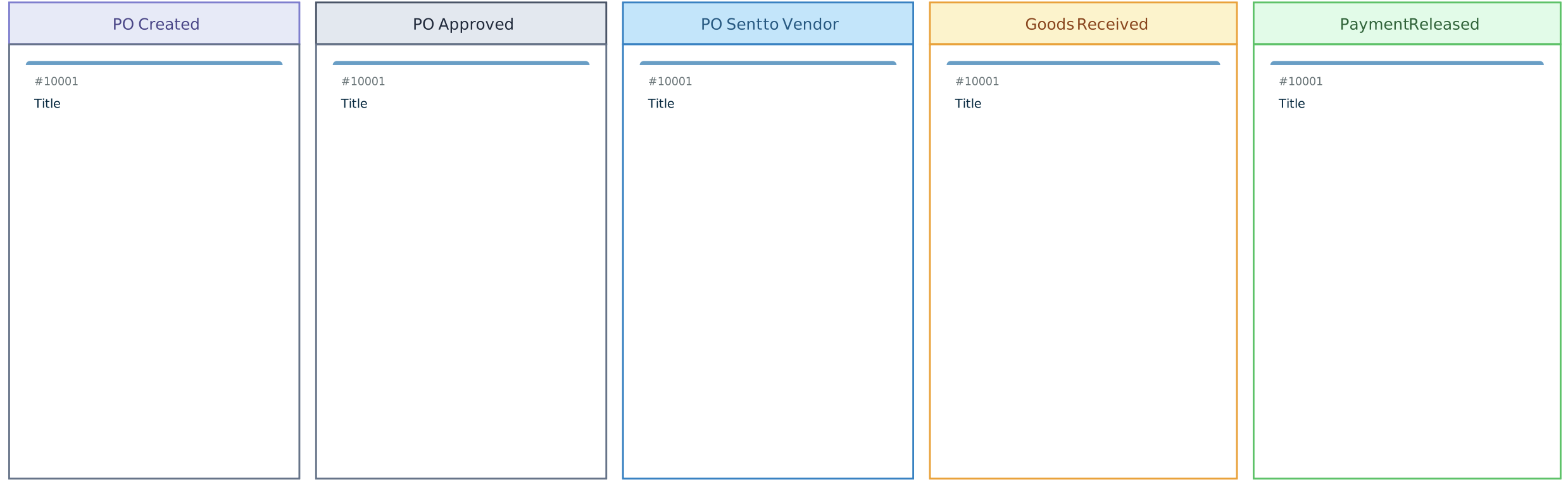
- Show owners and handoffs. Use swimlanes, labels, or structured details to identify who submits, reviews, approves, issues, receives, matches, resolves, pays, and closes each order.
- Connect supporting context. Add notes, links, files, and references to relevant steps so teams can find approved policies, forms, supplier guidance, approval thresholds, and exception instructions without overcrowding the map.
- Review the workflow with the people who run it. Share the map with appropriate view, comment, or edit access. Use real-time collaboration, comments, and mentions to gather feedback directly on steps, decisions, and handoffs.
- Design the improved process. Remove duplicate steps, clarify decision rules, define exception routes, and agree on the system of record for each transaction and document.
- Publish and maintain the guidance. Share the approved map with relevant teams or export it as PDF, PNG, SVG, or JPEG. Assign an accountable process owner and update the map when roles, controls, policies, or systems change.
Keeping the map, ownership details, review context, and supporting guidance connected turns it into living process documentation. Sensitive commercial or financial information should remain in appropriately controlled systems and workspaces.
Conclusion
A streamlined purchase order process connects each request to the right approval, supplier, receipt, invoice, and payment record. Clear ownership and exception paths help teams reduce delays without weakening financial or procurement controls.
Begin by mapping how the process works today. Then address incomplete inputs, repeated reviews, unclear handoffs, and common exceptions. Use Creately to document the workflow and review improvements with stakeholders, while keeping transactional and accounting records in the organization’s approved systems.